Español
 عربى
 русский
We specialize in network cabling solutions and optical fiber products integrating design, development, sales and service.
Based on the mature research and development system, the quality stability of Simante has been guaranteed at the design source. We have more than 10 engineers and over 30 full-time technical persons who continue to provide their professional value in the position, improving quality and promoting product update.
Simante provides specialized integrated solutions for customers to ensure it meets the customer's requirement. Welcome to visit.
Introduction
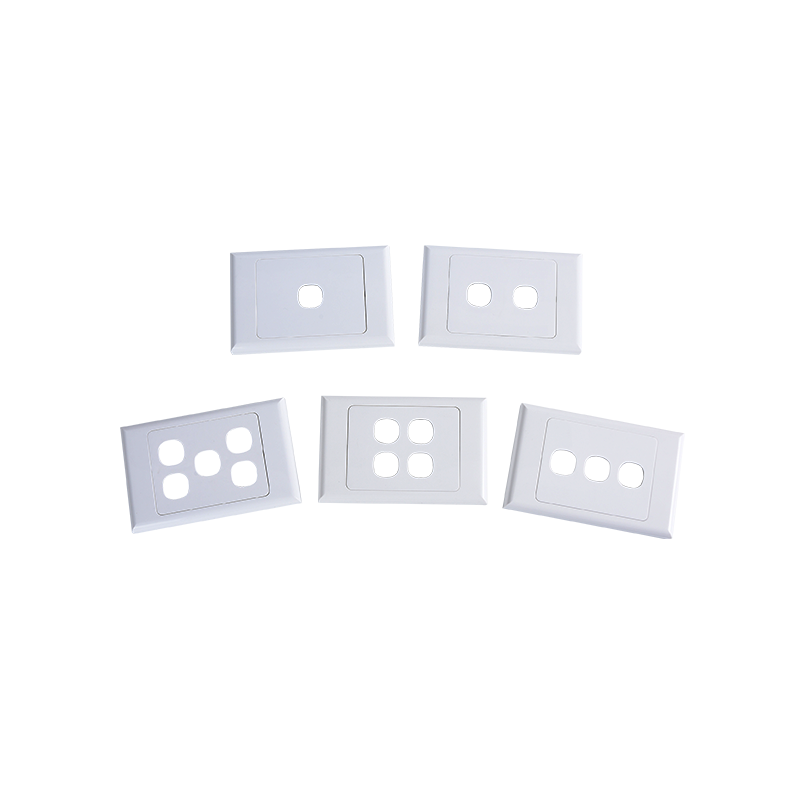
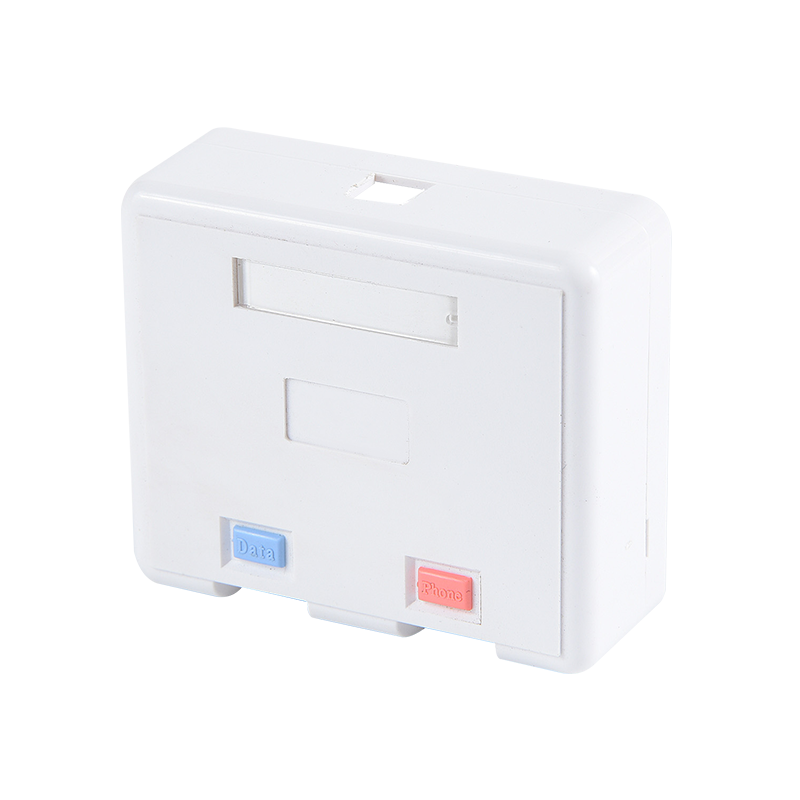
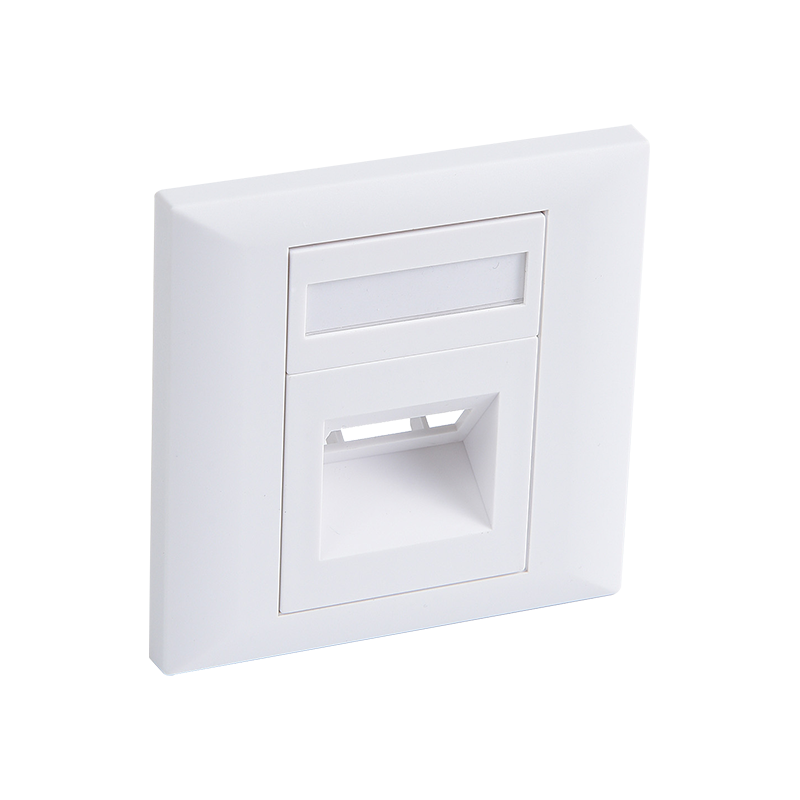
A network faceplate is the wall-side termination point for a data or voice cabling run, mounted over a standard wall box and holding one or more RJ45 keystone jacks in a finished, labeled cover plate. Where a patch panel organizes many cable runs at the rack end, a network faceplate handles a single location - typically one desk, one room, or one specific device position - at the user end of the same cabling system.
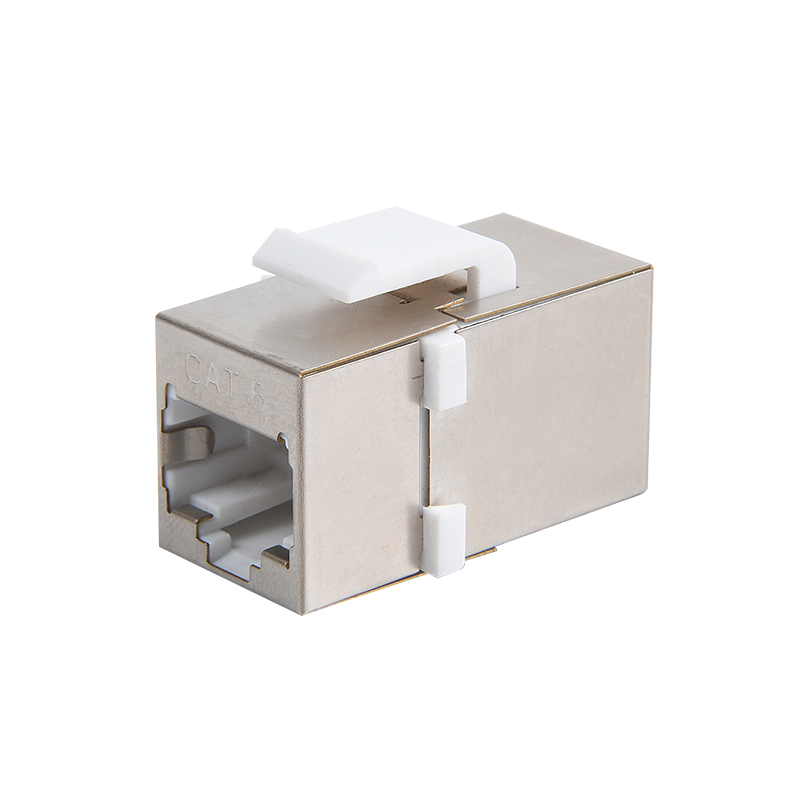
The faceplate itself is a simple, purpose-built housing: a rectangular keystone opening sized to the industry-standard 14.5mm by 16mm keystone footprint, into which an RJ45 keystone jack snaps and locks without tools. Because the opening follows the universal keystone standard, the same faceplate can just as easily hold a voice, coax, or fiber keystone module if a location needs a different connection type instead of, or alongside, data.
Network faceplates are molded from flame-retardant PC/ABS plastic rated UL94V-0, giving them the durability and fire-safety characteristics expected of a permanent wall fixture, and are sized to fit a standard single-gang wall box - the same box type used for electrical switches and outlets in most construction.
Port count typically ranges from single-port for a simple data-only drop up to four ports for locations needing multiple connections - a computer and a desk phone, for example, or a desk with both a primary and secondary network drop - all behind one cover plate rather than several separate faceplates crowding the same wall area.
Most models include a label window or icon insert above each port, letting an installer mark data versus voice, or a specific port number that matches the corresponding patch panel port, which keeps the documentation trail intact from the wall all the way back to the rack.
Application
Network faceplates are used at essentially every point where a wired network connection reaches an end user - which makes them one of the highest-volume components in any structured cabling deployment, appearing at every desk, conference room, and device location across a building.
In office environments, a network faceplate sits at each workstation, typically with one or two RJ45 ports for a computer and, where needed, a desk phone, connecting back through in-wall cabling to the corresponding patch panel port in the nearest rack.
Conference rooms and shared spaces often use a 2 or 4-port network faceplate to support a mix of devices - a conferencing system, a display, and a laptop connection - all consolidated into one wall location rather than several separate single-port plates.
Classrooms and educational facilities use network faceplates for teacher workstations, classroom access points, and interactive displays, typically standardized across an entire campus to keep installation and future troubleshooting consistent from room to room.
Healthcare environments rely on network faceplates in patient rooms, nurse stations, and administrative offices, supporting workstations on wheels, monitoring equipment, and nurse-call systems with clearly labeled, reliable wired connections.
Data cabinets and equipment closets themselves sometimes use network faceplates as well, mounted to a small patch panel-style bracket to bring a data connection to auxiliary equipment mounted outside the main rack, such as a wall-mounted access point or camera.
Specification
| Port Configuration | 1 / 2 / 4-Port RJ45 keystone |
| Material | Flame-retardant PC/ABS plastic |
| Keystone Compatibility | Universal snap-in keystone jacks |
| Mounting | Single-gang wall box or surface-mount box |
| Dust Protection | Spring-loaded shutter (select models) |
| Labeling | Data / voice icon inserts, ID window |
| Color | White (grey and black available) |
| Fire Rating | UL94V-0 |
Installation, Troubleshooting and FAQ
- Q: What is a network faceplate used for?
- A: It provides the wall-mounted connection point for wired network and voice cabling, holding one or more RJ45 keystone jacks so a device can plug directly into the structured cabling system at a desk, room, or other location.
- Q: How do I wire a network faceplate to a patch panel?
- A: A single cable run is terminated on an RJ45 keystone jack at the faceplate end and on the corresponding port of the patch panel at the rack end, following the same T568A or T568B wiring standard on both ends so the two terminations match.
- Q: Can a network faceplate support both data and voice?
- A: Yes - a multi-port faceplate can hold a mix of RJ45 data and voice keystone jacks side by side, as long as the number of jacks does not exceed the faceplate's total port count.
- Q: What's the difference between a network faceplate and a standard wall plate?
- A: A standard blank wall plate has no openings and is used to cover an unused electrical or low-voltage box, while a network faceplate includes one or more keystone openings specifically designed to hold RJ45 or other data and voice jacks.
- Q: Do network faceplates support PoE?
- A: The faceplate itself is a passive plastic housing and has no effect on Power over Ethernet; PoE delivery depends on the switch, the cable category, and the keystone jack rating behind the faceplate, not the faceplate itself.
- Q: Can I use a 4-port network faceplate with only 2 cables run?
- A: Yes - it is common to install a higher port-count faceplate with only some positions populated initially, leaving the remaining openings covered with blank keystone inserts until additional drops are needed.
- Q: How do I remove a keystone jack from a network faceplate?
- A: Most keystone jacks release with a small tab or clip on the jack itself; pressing that release tab while gently pushing the jack out from the front of the faceplate allows it to be removed without damaging the plate.
- Q: Are network faceplates compatible with Cat6a?
- A: Yes - because the keystone opening is a universal mechanical fit, a standard network faceplate accepts Cat6A keystone jacks just as it does Cat5e or Cat6, with the actual performance determined by the jack and cable rather than the faceplate.