Español
 عربى
عربى русский
Content
- 1 What Is a Patch Panel?
- 2 What Are Patch Panels Used For? Six Core Functions
- 3 How Does a Patch Panel Work?
- 4 Common Types of Patch Panels
- 5 Copper vs. Fiber Patch Panels: Performance Comparison
- 6 Patch Panel vs. Switch: What Is the Difference?
- 7 Where Are Patch Panels Used? Typical Application Scenarios
- 8 How to Choose the Right Patch Panel
- 9 Installation and Maintenance Best Practices
- 10 Frequently Asked Questions
- 11 Final Thoughts on Patch Panel Purpose
What Is a Patch Panel?
Patch panels are used to terminate, organize, and manage the network cables that run from wall outlets, desks, or equipment to a central location such as a server room or network closet. In practical terms, a patch panel is a passive hardware panel with multiple ports that converts a permanent bundle of horizontal cables into a clean, labeled front end where short patch cords can connect to a switch, router, or other active device.
A typical patch panel is a 1U or 2U-high steel panel that mounts into a standard 19-inch equipment rack. The rear side of a copper panel contains IDC punch-down terminals where solid-core horizontal cables are terminated one by one. The front side exposes RJ45-style ports that accept factory-made patch cords. Fiber optical patch panels follow the same idea, but the rear holds fiber pigtails or connectors and the front provides adapter ports such as LC or SC couplers.
Because a patch panel is a purely passive device, it requires no power, no configuration, and no software. It does not route traffic, filter packets, or make forwarding decisions. It simply provides a physical point where cabling terminates in an organized way and where connections can be changed by moving a short patch cord. That simplicity is exactly why patch panels are used in nearly every structured cabling system, from small office wiring closets to large data centers.
What Are Patch Panels Used For? Six Core Functions
The short answer is cable management, but in real installations the purpose of a patch panel is more specific. Experienced network designers rely on patch panels to solve problems that would otherwise appear as downtime, messy racks, and damaged equipment. These are the six core functions that explain what patch panels are used for in a professional network environment.
1. Centralized cable termination
Instead of running dozens or hundreds of cables directly into a switch, the permanent cables stop at the patch panel. The panel becomes the single termination point for all horizontal links, which makes the telecom room predictable and easy to understand.
2. Protection for expensive switch and router ports
Repeated plugging and unplugging wears out the ports on a switch. Replacing a switch port means replacing the whole device. A patch panel absorbs that wear because patch cords are inserted and removed from cheap, replaceable panel ports instead of expensive active equipment ports.
3. Fast moves, adds, and changes
When a desk moves or a user needs a different network connection, the change is made at the front of the panel with a short patch cord. There is no need to re-terminate cables, pull new horizontal runs, or disturb the wiring behind the panel.
4. Easier troubleshooting and isolation
A clear patch panel makes fault isolation straightforward. Technicians can test the horizontal link at the panel, swap patch cords, and confirm whether a problem sits in the cabling or in the active device. That simple workflow saves significant time during outages.
5. Clear labeling and documentation
Port numbers on a patch panel give every cable a physical reference. When combined with a cable schedule, the panel turns an invisible wall of cables into a documented network that another technician can support months later without guesswork.
6. Cable strain relief and rack organization
Horizontal cables are heavy and stiff. The patch panel fixes them in place, while cable managers and tie bars handle bend radius and strain. This protects the cable terminations and keeps the rack tidy enough to work in safely.
| Function | What it solves | Typical result |
|---|---|---|
| Centralized termination | Scattered cable endpoints in the wiring closet | One predictable area for all horizontal links |
| Port protection | Premature wear on switch and router interfaces | Longer service life for active equipment |
| Fast MACs | Slow, costly re-cabling when layouts change | Connection changes in minutes, not hours |
| Easier troubleshooting | Unclear responsibility between cabling and device | Faster isolation of faults and shorter downtime |
| Labeling and documentation | Unknown cable paths and ownership | Auditable, supportable infrastructure |
| Strain relief and organization | Kinked cables and damaged terminations | Clean racks with stable physical performance |
How Does a Patch Panel Work?
A patch panel works by splitting every end-device link into two physical segments that meet at the panel. The first segment is the horizontal cable, which runs from a wall outlet or workstation to the rear side of the patch panel and is terminated on an IDC terminal. The second segment is a short patch cord that connects the front port of the panel to a switch, router, or other active device.
The electrical path is simple and consistent. A signal starts at the computer, travels through the wall outlet and horizontal cable to the back of the patch panel, crosses the panel's internal connection, and continues through the front patch cord into the network switch. The same path carries return traffic in reverse. Understanding this flow is the key to understanding what patch panels are used for: they create a convenient break point in the middle of that path.
- The horizontal cable reaches the wiring closet from the workstation.
- The cable is terminated on the rear punch-down block of the patch panel.
- The front port of the patch panel is connected to the switch with a patch cord.
- When a change is needed, only the front patch cord is moved.
- The rear termination stays untouched, preserving link stability.
Because the panel is passive, the signal is not regenerated or amplified. This is why termination quality matters more than people expect. A properly rated panel adds only a small, standards-compliant amount of insertion loss, while a poorly terminated jack can cause reflection, crosstalk, and retransmissions. The same disciplined termination process that protects performance also protects the investment in the cabling itself. If you are new to the physical side of networking, the step-by-step signal path and connection logic behind the panel are worth reviewing before you design a closet layout.
Common Types of Patch Panels
Patch panels fall into two broad families: copper patch panels and fiber optical patch panels. Within each family, products are divided by performance category, shielding, and construction style. Knowing the differences helps you match the panel to the cable and the application, because the panel must never become the weak link in the channel.
Unshielded copper
CAT5E and CAT6 panels for general office and LAN use where electromagnetic interference is manageable. Cost-effective and easy to terminate.
Shielded copper
CAT6A and CAT7 panels with metal shielding to block interference and support higher frequencies. Suitable for industrial and high-density environments.
Blank patch panel
An empty metal panel with cutouts, designed to hold keystone jacks that the installer selects individually. Maximum flexibility for mixed services.
Fiber optical panel
A panel with adapter ports for fiber connectors, available with pigtails or splice trays. Used for backbone, data center, and long-distance links.
Copper patch panels are rated to match the cable categories used in the installation. A CAT5E panel supports 100 MHz and covers legacy 1 Gbps links, while a CAT6 patch panel supports 250 MHz and gives you solid headroom for gigabit networks with simple future upgrades. For offices, the combination of CAT6 cable and a CAT6 panel remains the most widely deployed standard because it balances cost, performance, and availability.
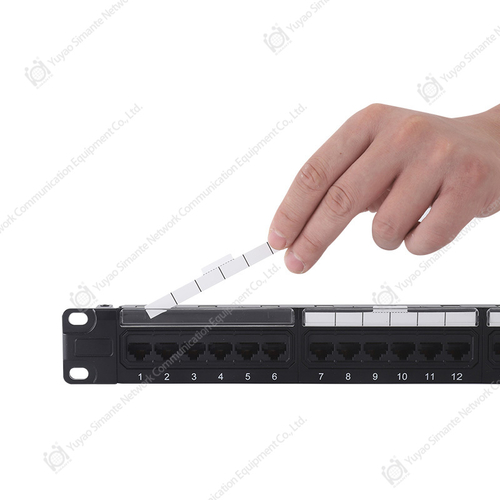 Smartyy: Patch Panel CAT6 Manufacturer&Supplier in ChinaChina Patch Panel CAT6 manufacturer SMARTYY provides kinds of Patch Panel. Patch panels are most commonly found in Ethernet networks, mak...View Product →
Fiber patch panels are different in construction but identical in purpose. They terminate fiber cables and provide front adapters where fiber patch cords can connect switches and servers. A fiber optical patch panel is usually equipped with LC or SC duplex adapters, and the rear side can be terminated with field-installable connectors or fusion-spliced pigtails. Fiber panels are essential for backbone links, data center top-of-rack connections, and any run beyond the practical distance of copper.
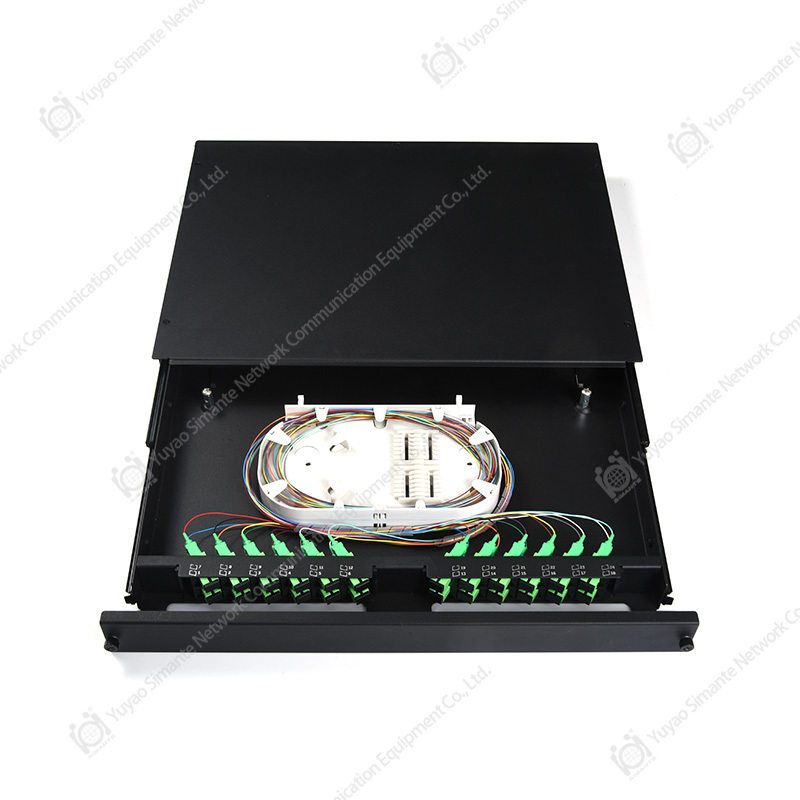 Custom Fiber Optical Patch Panel Manufacturers, Suppliers, FactoryAs Fiber Optical Patch Panel manufacturers, suppliers and factory in China, Yuyao Simante Network Communication Equipment Co., Ltd custom...View Product →
Blank patch panels deserve special attention because they are not category-limited. An installer can load a blank panel with CAT6 keystone jacks for data ports and CAT3 jacks for voice ports on the same panel. This makes them a preferred choice for projects with mixed services, gradual expansion, or strict budget control. They are simple to field-configure and easy to maintain.
Copper vs. Fiber Patch Panels: Performance Comparison
When planners decide between copper and fiber panels, they compare distance, speed, cost, and environment. The table below summarizes the practical differences that drive that decision. After the table, we look at the frequency ceiling of copper categories with a visual comparison.
| Comparison point | Copper patch panel | Fiber optical patch panel |
|---|---|---|
| Transmission medium | Twisted-pair copper conductors | Glass or plastic optical fiber |
| Typical distance | Up to 100 meters per channel | Hundreds of meters to kilometers |
| Typical speed | 1 Gbps to 10 Gbps | 10 Gbps to 100 Gbps and beyond |
| Termination method | IDC punch-down or tool-less keystone | Splice pigtails or field connectors |
| Susceptibility to EMI | Yes, especially without shielding | Immune to electromagnetic interference |
| Best fit | Horizontal links, office networks, low cost | Backbone, data center, long-distance links |
The first decision when planning a copper channel is which performance category your patch panels must support. Patch panels are rated using the same frequency limits as the cables that terminate in them, which means the panel must never become the weak link. The horizontal bar chart below compares the maximum frequency support of four common copper patch panel categories. CAT5e still appears in legacy voice and 1 Gbps data links, while CAT6 and CAT6A cover most modern structured cabling projects. CAT7 panels occupy the top of the copper frequency range and are mainly used in shielded infrastructure.
The bar lengths above make it easy to see how far copper performance has moved. CAT5e supports 100 MHz, which is enough for 1 Gbps Ethernet in most short-to-medium runs. CAT6 doubles that frequency headroom to 250 MHz, providing reliable 10 Gbps at reduced distances. CAT6A extends frequency support to 500 MHz and maintains 10 Gbps across full 100-meter channels, which is why it is the preferred choice for new installations. CAT7 reaches 600 MHz, offering the highest frequency margin among copper options.
The practical effect is not just higher speed; stronger frequency headroom also lowers bit error rates and improves signal integrity in dense racks. Alien crosstalk is the main enemy in high-density environments, and higher-category panels are engineered to keep it under control. For most enterprise users, CAT6A has become the default because it balances cost, performance, and future-proofing. CAT5e remains relevant for voice lines and budget-conscious office networks. CAT7 should be reserved for specialized shielded infrastructure or industrial environments with severe electromagnetic interference.
Fiber panels are not included on this scale because fiber systems are measured in wavelengths and optical power rather than electrical frequency. That distinction matters when you plan a network: copper and fiber serve complementary roles instead of competing directly. The chart also highlights a practical buying rule: the panel category sets the ceiling of your entire copper channel. A low-category panel will limit even the best cable and switch installed behind it. For that reason, specifiers in large projects tend to choose CAT6A or higher rather than optimizing for the lowest unit price. If your project targets full-rate 10 Gbps channels, a CAT6A patch panel is the dependable starting point for the entire cabling budget.
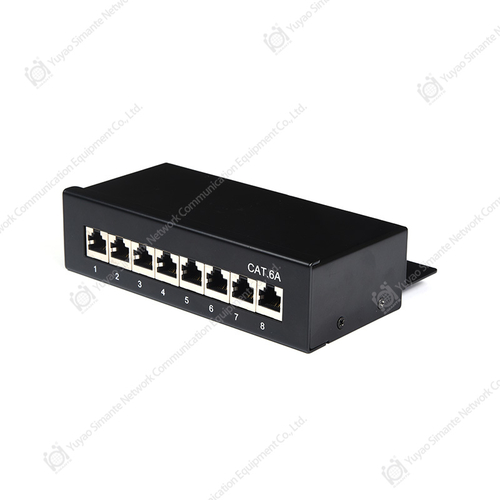 Custom CAT6A Patch Panel Manufacturers, Suppliers, FactoryAs CAT6A Patch Panel manufacturers, suppliers and factory in China, Yuyao Simante Network Communication Equipment Co., Ltd custom wholesa...View Product →
Patch Panel vs. Switch: What Is the Difference?
One of the most common questions from newcomers is whether a patch panel does the same job as a network switch. It does not. A switch is an active device that forwards data, learns MAC addresses, and makes intelligent decisions about traffic. A patch panel is a passive device that simply connects physical cables. Comparing them makes sense only because they sit side by side in the same rack and cooperate in every network.
| Aspect | Patch panel | Network switch |
|---|---|---|
| Role in the network | Terminates and organizes cabling | Forwards data between devices |
| Power requirement | None | AC power, often with redundancy |
| Data processing | None | Frame forwarding, VLANs, QoS |
| Port cost | Low, replaceable | High per port |
| Failure impact | Single link affected | Can affect many devices |
| Typical location | Top of rack or front of closet | Below the patch panel in the same rack |
Neither device replaces the other. The patch cord market exists because of this partnership: cables run from the patch panel to the switch, and every change is made at the panel instead of on the switch itself. If you are planning a rack, the normal order is patch panel at the top, cable managers between panels, and switches underneath. This arrangement keeps the front of the rack visible and serviceable while protecting the switch ports from frequent physical handling. For a fuller comparison of the two roles, including common misconceptions about where each device belongs, you can review our dedicated patch panel and switch guide in the related reading section below.
Where Are Patch Panels Used? Typical Application Scenarios
Patch panels appear wherever the number of cables exceeds what a person can reasonably manage without labels and structure. The scale changes, but the principle stays the same from a single telecom closet to a multi-tenant data center. Different environments emphasize different benefits, so it helps to look at the most common scenarios separately.
Data centers and server roomsIn data centers, patch panels are used for top-of-rack switching, pre-terminated trunk cabling, and structured fiber links. Density matters here, so 1U panels with 48 ports and fiber panels with high adapter counts are standard. Every rack follows the same layout, which lets operators scale and troubleshoot predictably. Enterprise telecom roomsOffices and campus buildings rely on copper patch panels to connect hundreds of workstations back to floor switches. CAT6 and CAT6A panels are typical, with blank panels mixed in for voice, Wi-Fi access points, and security devices. Clean labeling and cable management are critical because these rooms are often staffed by general IT teams. |
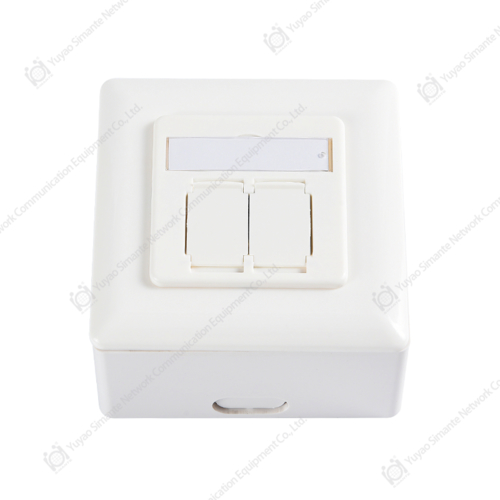
Smart homes and small officesSmaller projects use patch panels when more than a handful of data points need to meet in one cabinet. A 24-port CAT6 panel gives a home network the same professionalism as an office install and makes future moves simple. Surface boxes and faceplates on the room side complete the structured cabling path. Industrial and automated facilitiesFactories and automated lines use shielded patch panels to protect signals from electromagnetic interference generated by motors and drives. Panels in these environments must tolerate vibration, dust, and temperature swings. The same centralized termination principle applies, but shielding and robust construction become priorities. |
Across these scenarios, the job of the patch panel never changes: it is the fixed, known point where cables end and connections are managed. Whether the signals are copper or fiber, office or industrial, the panel provides the physical discipline that keeps a network reliable over years of daily operation.
How to Choose the Right Patch Panel
Choosing the right patch panel comes down to a short series of decisions: port count, performance category, shielding, rack density, termination style, and sourcing. If you follow this order, you will rarely end up with a panel that does not fit the project. Buyers who skip ahead often buy too many ports, the wrong category, or a panel that is painful to terminate.
- Port count. Count the active data points that must terminate in the closet, then add spare capacity for growth. A typical rack uses 24-port or 48-port panels, and our guide to choosing the right size patch panel explains how to match ports to switch density without overbuilding.
- Performance category. Match the panel to the highest category of cable in the channel. There is no benefit in installing a CAT6A panel on a CAT5E cable plant, and a CAT5E panel will drag down a new CAT6A installation.
- Shielding. Use shielded panels with shielded cables in industrial environments, near power lines, or wherever equipment generates electromagnetic noise. Unshielded panels are cheaper and easier to terminate in clean office environments.
- Rack density. A 1U panel with 24 ports keeps the rack tidy, while 48-port 1U panels offer higher density with tighter cable management. For large fiber counts, choose a panel designed for the correct adapter type and splice tray capacity.
- Termination style. Traditional punch-down panels deliver the lowest cost per port and a very secure connection. Tool-less jacks reduce installation time and are useful for technicians who do not terminate copper daily.
Sourcing is the final decision, and it affects price, lead time, and consistency more than most technical specifications. Buyers working in bulk should evaluate a patch panel manufacturer on production capacity, tolerance control, and the ability to deliver uniform batches across multiple projects. A supplier with in-house molding and assembly can keep quality stable from the first sample to the last shipment, which matters when a single building needs hundreds of panels. Wholesale buyers usually ask for consistent packaging, short lead times, and support for custom labeling or mixed configurations. Working with a manufacturer that offers both standard and customized lines makes it easier to meet project-specific requirements without changing suppliers mid-project.
If you need a visual overview of the options before you finalize a bill of materials, our network patch panel types, structure, and selection guide walks through each product style in more detail. Together with the port-count guide, it covers the practical choices that turn a cable plant into a manageable infrastructure.
Installation and Maintenance Best Practices
A good patch panel only performs as well as the installation around it. Termination quality, cable dressing, and ongoing maintenance determine whether the network stays stable for years or slowly degrades with every change. The practices below are the ones that professional installers follow on every job.
Installation tips
- Maintain the pair twist as close to the IDC terminal as possible. Untwisting more than half an inch raises crosstalk and hurts return loss.
- Use the correct punch-down tool and follow the color code marked on the panel. A loose or misplaced termination is a common source of intermittent faults.
- Leave a small service loop behind the panel so a damaged connector can be re-terminated without pulling the cable back through the conduit.
- Install cable managers between panels to support the weight of the cable bundle and keep bend radius within the cable specification.
- Label every port at the panel, at the wall outlet, and in the documentation. Consistency in labeling saves hours during troubleshooting.
Maintenance practices
- Keep unused ports covered with dust caps or blank modules so contamination does not enter the jack.
- When a link fails, test the horizontal run from the panel first. The panel is the easiest place to isolate a problem.
- Re-terminate any port where the cable jacket is damaged or the pair twist has been disturbed for a long distance.
- Use a wire map tester after every change and a full channel test after major additions to confirm performance.
- Avoid overloading the front of the panel with excessively long patch cords; dress them through the cable manager so they do not pull on the port.
These steps sound basic, but they are exactly what separates a stable network from one that generates chronic, hard-to-find faults. Because the patch panel is the meeting point of the entire cabling system, the quality of work done at the panel affects every device connected through it.
Frequently Asked Questions
What are patch panels used for?Patch panels are used to terminate horizontal network cables at a central location, organize them into labeled ports, and connect them to switches with short patch cords. They simplify moves, adds, and changes, protect switch ports, and make troubleshooting faster. |
Does a patch panel improve network speed?No. A patch panel does not boost speed because it is a passive device. However, a correctly rated and properly terminated panel prevents signal degradation, which means the network can perform at the speed its cable and switch already support. |
Does a patch panel need power?No. Copper and fiber patch panels are entirely passive and require no power, cooling, or configuration. They exist only to physically connect and organize cables. |
What is the difference between a patch panel and a switch?A switch is an active device that forwards data frames and makes network decisions. A patch panel is a passive termination point that simply organizes cabling. They are usually installed together in the same rack and serve complementary roles. |
Can I use a CAT6 patch panel with CAT5E cable?Yes, a CAT6 panel works with CAT5E cable, and the link will perform at the level of the lowest component, which is the CAT5E cable. Upgrading the panel alone does not upgrade the channel. |
How many ports should a patch panel have?Most installations use 24-port or 48-port panels. Choose a panel that matches the number of switch ports you plan to connect, plus a small amount of spare capacity for future endpoints and equipment changes. |
Final Thoughts on Patch Panel Purpose
Patch panels are used for one overarching purpose: to make the physical layer of a network manageable. They turn permanent cabling into a clean, labeled, and flexible interface, protecting equipment, supporting troubleshooting, and making every future change faster and safer. Whether you are equipping a single closet or designing a multi-building campus, the patch panel is the point where order begins.
When you move from planning to purchasing, rely on a supplier that builds the product rather than only reselling it. Consistent quality, dependable lead times, and the ability to support customized configurations matter just as much as the specifications on the datasheet. A well-chosen panel, installed with discipline and maintained properly, will outlast several generations of switches connected behind it.
Related reading
- How do patch panels work step by step
- Network patch panels: types, structure, and selection guide
- How to choose the right size patch panel