Español
 عربى
 русский
Content
- 1 Start With the Link, Not the Fiber Optic to Copper Converter
- 2 What a Fiber Optic to Copper Converter Does, and What It Does Not
- 3 Five Specifications That Decide Whether the Link Works
- 4 The Cabling on Both Sides of the Conversion Point
- 5 Where Conversion Makes Commercial Sense
- 6 Buying Considerations for Integrators, Wholesalers and Private-Label Buyers
- 7 Commissioning: Six Faults That Appear in the First Week
- 8 What the Whole Link Actually Costs
- 9 Related Reading From Our Technical Library
- 10 Frequently Asked Questions About Fiber Optic to Copper Conversion
- 10.1 Does a fiber optic to copper converter work in both directions?
- 10.2 Can I use a single converter instead of a pair?
- 10.3 Will a converter reduce network speed?
- 10.4 Do I need a managed converter for a camera or access point link?
- 10.5 What is the maximum distance a converted link can span?
- 10.6 Can the converter be powered from the switch it connects to?
- 10.7 How do I keep a multi-site rollout consistent?
- 11 Bringing It Together
Start With the Link, Not the Fiber Optic to Copper Converter
A 24-port copper switch sits in a small telecom room. A single-mode backbone terminates on a fiber patch panel less than two metres away, and the two have no way to talk to each other. There is no SFP slot in the switch, the budget for a replacement has already been spent on cabling, and the tenant moves in on Friday. The part that closes that gap is a fiber optic to copper converter, and on almost every bill of materials it is the cheapest single item.
That is precisely why it deserves more attention than it usually gets. In the projects we see go wrong, the converter is rarely the faulty component. The real failures are more mundane: a pair ordered as two "A" units instead of an A and a B, a multimode unit dropped into a single-mode run, a copper patch cord that was never tested, or a link that trains down to 100 Mbps because one end was hard-coded to full duplex.
So here is the conclusion up front: choose the converter last, but choose the whole link first. Decide the speed, the fiber class, the reach, the power budget and the rack space it has to live in, then pick a converter that matches those decisions. Buy the converter as one line of a system that includes the fiber patch panel, the fiber patch cords, the copper patch panel, the copper patch cords and the cable management that keeps all of it serviceable.
This article walks through what the converter actually does, the specifications that decide whether a link comes up at all, the cabling on either side of it, the deployment patterns where conversion pays for itself, and the procurement and commissioning details that separate a clean rollout from a week of site visits.
What a Fiber Optic to Copper Converter Does, and What It Does Not
A media converter performs a physical-layer translation. One side presents an RJ45 port that behaves like any other Ethernet port on the network. The other side drives an optical transmitter and receiver. Frames arrive as electrical pulses on twisted pair, are re-timed and re-driven as light, and the remote unit reverses the process. Because the Ethernet framing is untouched, the link behaves like an ordinary segment once it is up.
The naming convention tells you most of what you need. A "1000BASE-T to 1000BASE-SX" converter bridges copper Gigabit to short-wavelength multimode, typically good for a few hundred metres inside a building. "1000BASE-T to 1000BASE-LX" bridges to long-wavelength single-mode for runs between buildings or down to a remote cabinet. A 10GBASE-T to 10GBASE-SR unit does the same job at 10 Gigabit through an SFP+ cage.
Where buyers get into trouble is expecting more from the device than it can deliver. A converter:
- Does not change the protocol. It is not a gateway between two different network technologies, and it does not translate addressing, VLAN tags or management traffic in any meaningful way.
- Does not create bandwidth. If the copper port negotiates at 100 Mbps, the fiber side runs at 100 Mbps too, no matter what the optics are rated for.
- Does not replace a switch. Two converters create one link. If twelve copper ports are needed at the far end, the correct answer is a switch with an SFP uplink, not twelve converters in a row.
- Does not supply Power over Ethernet unless it is explicitly built as a PSE. Standard unmanaged converters pass data only.
- Does not repair a bad copper plant. Marginal cabling that fails a certification test will still fail after conversion.
Pairing is the other detail that catches people out. Many single-fiber converters are sold as an "A" variant and a "B" variant that transmit on different wavelengths over one strand. Order two A units and the link will never come up, no matter how clean the connectors are. Ordering matched pairs, and recording the serial numbers as pairs, prevents a whole class of field failures later.
Five Specifications That Decide Whether the Link Works
Most converter datasheets look alike at a glance. The differences that matter show up in five places, and each one has a specific failure mode attached to it.
1. Speed, duplex and auto-negotiation behaviour
Confirm the copper port speed and whether it can auto-negotiate. A converter set to fixed 1000 Mbps full duplex against a switch port left on auto can settle into a duplex mismatch: traffic flows, but errors and late collisions climb under load and throughput collapses to a fraction of the expected figure. Set both ends to the same mode, or leave both on auto. Never mix the two.
2. Fiber type, connector and reach
Multimode and single-mode optics are not interchangeable, and neither are LC and SC connectors without an adapter. Check the fiber already in the riser before ordering. Reach is not just a distance figure; it is a loss budget. Every mated pair of connectors and every splice consumes part of it, and a link that looks comfortably within distance on paper can still fail if the loss budget is tight.
3. Managed or unmanaged, and link fault pass-through
Unmanaged units are perfectly adequate for a camera link or a single workstation run. Managed units add remote status, loop detection and alarm reporting. Link fault pass-through is the feature worth paying for on any link that carries live traffic: when the fiber side drops, the copper port shuts down so the connected switch sees a real link loss instead of a silent black hole. Without it, monitoring reports the port as healthy while users report an outage.
4. Power, PoE and thermal budget
Small converters run warm. A wall-wart power supply tucked behind a rack with no airflow is a common cause of intermittent resets that look like fiber faults. If the unit has to feed cameras or access points, add up the actual PoE draw, not the nameplate maximum, and check the power supply rating against it.
5. Form factor, mounting and environment
Desktop, wall-mount, DIN rail and card chassis formats all exist. A telecom room wants a rack shelf or a chassis; an outdoor cabinet wants wide temperature range, redundant power input and surge protection. Buying a desktop unit for an industrial cabinet is a false economy.
| Configuration | Where it usually fits | Confirm before you buy |
|---|---|---|
| 1000BASE-T to 1000BASE-SX | Multimode riser links inside an office building | OM class of the installed fiber, connector polish, duplex mode |
| 1000BASE-T to 1000BASE-LX | Single-mode runs between buildings or to a remote cabinet | Link budget in dB, connector type, laser class |
| 10GBASE-T to 10GBASE-SR (SFP+) | Uplink from a 10G copper switch into a fiber backbone | Cage compliance, coded module acceptance, cable category |
| PoE PSE converter | Cameras and access points fed over fiber to a distant copper port | Total PoE watts required, power supply rating, patch cord gauge |
| Industrial DIN-rail converter | Cabinets with heat, vibration and wide temperature swings | Operating temperature range, redundant input, surge rating |
The Cabling on Both Sides of the Conversion Point
The converter is a small box in the middle of a chain, and the chain breaks at its weakest joint. Looking at typical channel lengths helps explain why the fiber side carries the distance and the copper side carries the last few metres.
The chart below compares rated channel reach across the link types most often found on either side of a converter.
The pattern is consistent: copper plateaus at 100 metres regardless of category, while multimode extends the same 10 Gigabit signal to several hundred metres, and single-mode goes far beyond the range shown here. That gap is the entire commercial case for conversion.
It also explains why the copper side still matters. A converter does not remove the 100-metre limit on the copper segment; it simply relocates that segment. If the converter sits in a telecom room and the endpoint is 130 metres away down a corridor, the problem has not been solved, only moved. Bringing the fiber closer, then converting, keeps every copper run short.
Where we see the most avoidable waste is at the patch field. A tidy 24-port fiber enclosure with labelled adapters and a matching copper patching position makes a conversion point serviceable for a decade. An unlabelled bundle of loose cords behind a rack makes every future fault an investigation. Since we manufacture patch panels, cords and enclosures for both media, this is the part of the system we would spend the budget on first.
On the fiber side
The fiber backbone terminates somewhere, and that termination point is where most link problems originate. A proper fiber enclosure holds the splices, provides LC or SC adapters and gives the patch cords somewhere to route without exceeding their bend radius. Plan spare ports: a 24-port panel used for 24 live links leaves no room for a test cord or a temporary move.
Patch cords deserve their own specification line. Multimode OM3 and OM4 cords are not interchangeable with single-mode cords in terms of performance, and the connector end face must be clean and undamaged. A single contaminated LC ferrule can add enough loss to push a marginal link over its budget.
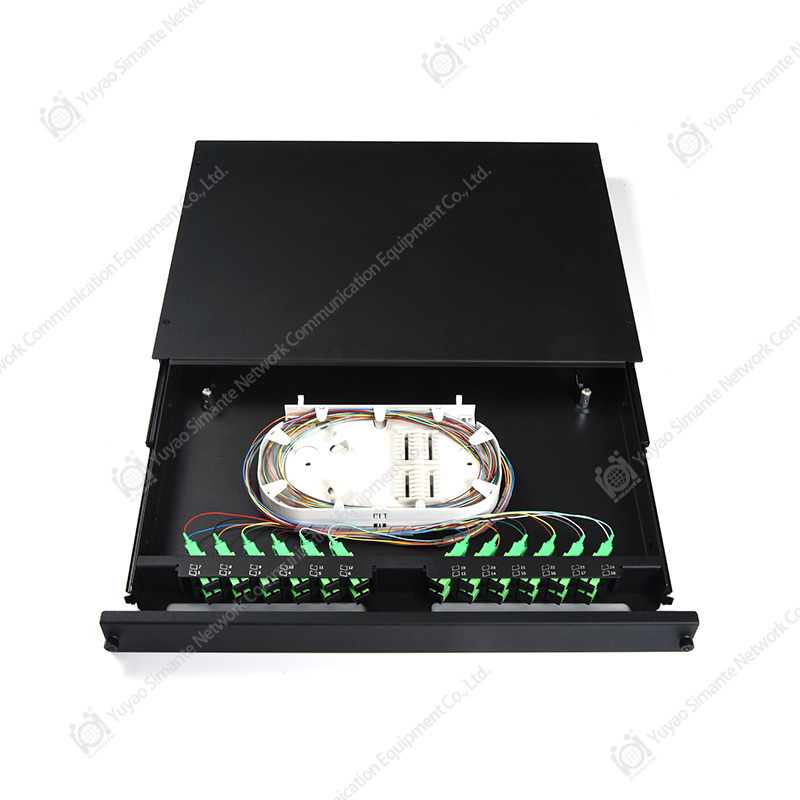 Fiber Optical Patch Panels for Rack and Terminal-Box TerminationRack-mount and terminal-box panels with sliding or angled formats, SC-LC and MPO-MTP options, support consistent fiber termination across multi-floor cabling rollouts.View Product →
Enclosures and panels from a single supplier keep adapter types, labelling and mounting consistent across floors, which matters more than most buyers expect when a rollout spans several buildings.
On the copper side
The copper half of the link is usually short but not always well built. A converter's RJ45 port is often patched straight to a switch and to a wall outlet through two factory cords. If those cords are thin, long or of an unknown category, the channel can fail certification even though the permanent link passes.
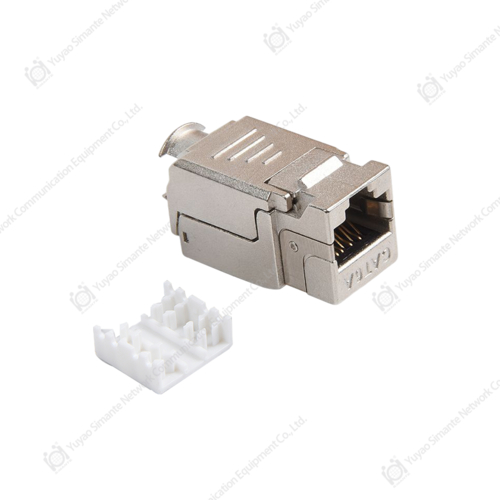
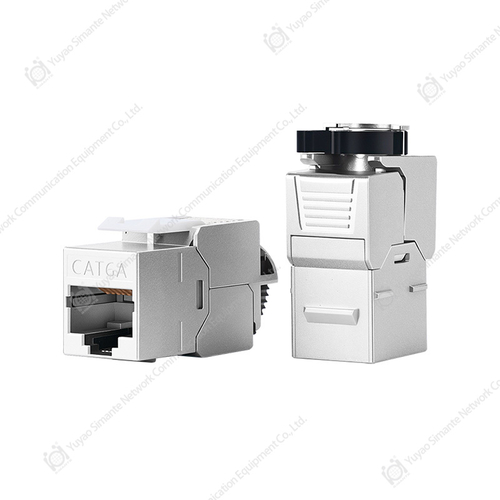
For structured installations, terminate the horizontal cable on a copper patch panel in the cabinet and on keystone jacks behind faceplates at the work area. That gives a single, repeatable interface and makes the converter just another patch-cord connection rather than a special case.
Cable management is not cosmetic here. Converters need clearance for power and for airflow, and a crowded cabinet with cords crossing the unit is a heat and reliability problem waiting to happen.
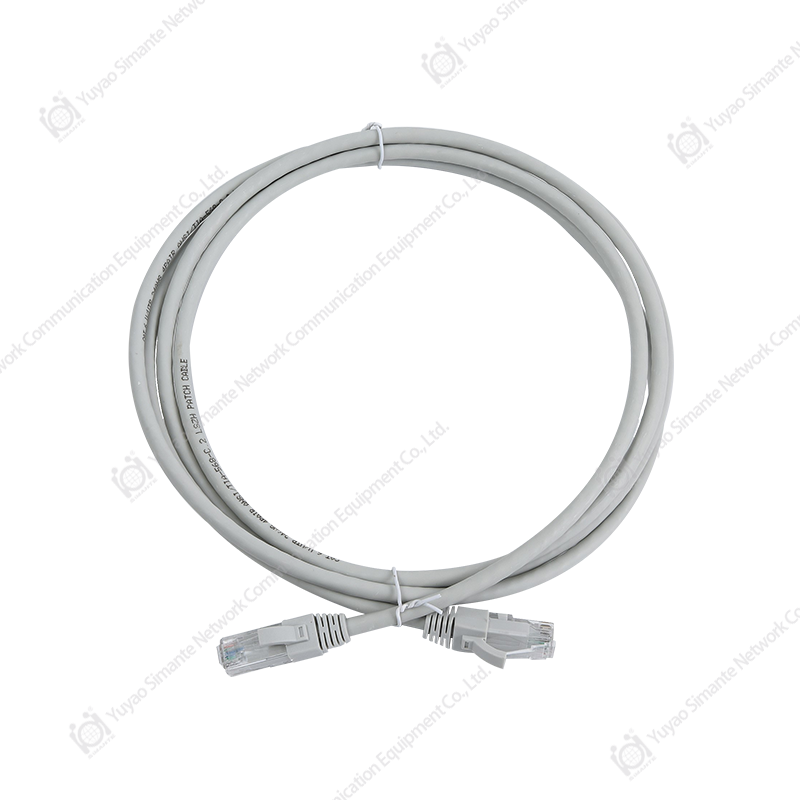 Custom Copper Patch Cords for Horizontal and Work-Area LinksCustom CAT.6A and CAT.8 patch cords in UTP, S/FTP and flat variants connect horizontal wiring, work areas and backbone cross-connections while supporting tidy short cabinet runs.View Product →
Keep copper patch cords short and known: 0.5 m to 3 m in the cabinet, and treat the total of both ends plus the horizontal run as one 100-metre budget.
| Component | Specification to confirm | Risk if skipped |
|---|---|---|
| Fiber patch panel | Adapter type, port count with spares, splice tray capacity | No room for growth, damaged pigtails during later moves |
| Fiber patch cord | OM3 or OM4, connector polish, correct length | Excess loss, link instability under temperature change |
| Copper patch panel | Category matched to the permanent link, termination standard | Certification failure on an otherwise sound cable run |
| Copper patch cord | Category, length, strain relief at the plug | Reduced channel margin, intermittent negotiation |
| Cable manager | Bend radius control, separation of power and data | Heat build-up, damaged fibers, harder fault finding |
Where Conversion Makes Commercial Sense
Conversion earns its place in a handful of recurring situations. Recognising which one you are in prevents both over-specifying and under-specifying the hardware.
Extending a copper run past its limit
A warehouse office, a gatehouse or a far end of a factory floor sits beyond the reach of the nearest switch. Pulling fiber to that point and converting back to copper at the destination is often cheaper than adding an intermediate switch and power feed.
Bringing a fiber backbone down to copper access ports
Many access switches still ship without SFP cages. Converting the incoming backbone to copper lets an existing switch join a fiber backbone without replacement, which is a legitimate way to phase a network refresh across two budget years.
Surveillance, PoE and remote cabinets
Cameras in a car park or along a perimeter are frequently too far for copper. Fiber back to the building, then a PoE converter or a PoE switch in the cabinet, is a standard pattern. Add up real camera draw including infrared and heater load, and size the power supply with headroom.
Isolation in electrically noisy or hazardous areas
Fiber breaks the electrical path between two locations. In industrial cells with drives and welding equipment, that isolation often matters more than the distance gain, and it can eliminate an entire category of intermittent faults.
Phased migration and temporary links
Event venues, construction sites and temporary offices need links that can be moved. Converters and pre-terminated fiber cords make a link that is quick to deploy and quick to recover, without committing to permanent termination work.
Buying Considerations for Integrators, Wholesalers and Private-Label Buyers
For a single-site install, buying a converter is a shopping decision. For a contractor, a distributor or a wholesaler stocking a catalogue, it is a supply-chain decision, and the questions change.
Start with the matched pair. Confirm whether the supplier ships A and B variants as a set, whether they can be ordered separately as spares, and how they are labelled in the box. A pair that is visually identical but functionally opposite is a stockroom hazard.
Then look at consistency. A rollout across twenty buildings only stays manageable if the converters, patch panels, patch cords and faceplates come from one manufacturer with stable specifications between batches. Ask for the test data that accompanies production lots, not just a sample report from one golden unit.
Lead time and minimum order quantity matter as much as price per unit. Compare the landed cost of a bulk order against the cost of a mid-project top-up order at short notice; the second is almost always more expensive in real terms. For private-label programmes, confirm artwork approval steps, packaging minimums and the labelling standard for both the unit and the outer carton.
Finally, ask what happens after installation. A supplier that can describe its warranty process, spare-part policy and documentation pack in concrete terms is generally a safer partner than one that answers only on price. Certificates and test reports should be requested explicitly and checked for scope, since a general quality certificate does not automatically cover the specific model you are buying.
Commissioning: Six Faults That Appear in the First Week
Almost every fault on a new conversion link falls into one of six categories. Working through them in order is faster than swapping hardware.
- No link light on the fiber side. Check transmit and receive polarity first, then clean both end faces, then confirm the fiber class matches the optics.
- Link comes up but throughput is poor. Check duplex settings at both ends and look for a hard-coded copper port facing an auto-negotiating partner.
- Link drops under load. Suspect the loss budget: too many mated connections, a tight bend, or a contaminated connector.
- Link drops at random intervals. Suspect power and heat before fiber: a marginal adapter, a shared power strip, or a converter with no airflow.
- Remote monitoring shows the port as up while users report an outage. Link fault pass-through is disabled or unsupported.
- PoE devices reboot when the infrared illuminators engage. The power supply is undersized against peak draw, not average draw.
Record the as-built details while the installer is still on site: converter model and serial numbers by pair, fiber port assignments, patch panel port numbers and the measured loss of each link. That record is what turns a future fault into a twenty-minute fix.
What the Whole Link Actually Costs
Converters are inexpensive relative to almost everything else in the channel, which is why cost discussions tend to focus on the wrong line. The realistic comparison is between the total installed cost of a converted fiber link and the alternatives: a new switch with fiber uplinks, or a copper run that requires repeaters or intermediate active equipment.
On the fiber side, cost comes from the cable, the termination labour, the enclosure and the patch cords. On the copper side, it comes from the panel, the jacks, the faceplates, the cords and the certification testing. Between them sit the converters and their power supplies. When a project runs over budget, the overrun is usually in termination labour and rework, not in the converters.
That has a practical consequence: it is worth paying slightly more for pre-terminated, tested fiber assemblies and for panels that are quick to terminate correctly. Every hour saved on termination is worth more than the price difference between an average converter and a good one.
Related Reading From Our Technical Library
Two references worth opening before you specify a conversion point
- Fiber series products for backbone termination and patching covers the enclosures, adapters and cords that sit on the optical side of the converter.
- Cat6 versus fiber optic patch panels: a complete buying guide compares rack density, termination effort and administration for both media.
Frequently Asked Questions About Fiber Optic to Copper Conversion
Does a fiber optic to copper converter work in both directions?
Yes. Conversion is bidirectional by design: data flows from copper to fiber and from fiber to copper across the same pair of units. What is not symmetric is the hardware. Single-fiber models use an A unit at one end and a B unit at the other, and pairing them incorrectly is the single most common reason a new link never comes up.
Can I use a single converter instead of a pair?
Only when the device at the far end already has a compatible optical port, for example a switch with an SFP slot. In that case one converter at the copper end completes the link. Between two copper-only devices you need two converters, one at each end, configured to the same speed and fiber class.
Will a converter reduce network speed?
A correctly matched converter pair adds latency measured in microseconds and does not reduce throughput. Apparent slowdowns usually trace back to duplex mismatch, a 100 Mbps copper port negotiating down, or a link running close to its loss budget and retransmitting. Test the copper side with a certifier before blaming the optics.
Do I need a managed converter for a camera or access point link?
Usually not. A single camera link on an unmanaged pair is fine. Managed units become worthwhile when the link carries business traffic, when several conversions sit in unstaffed cabinets, or when the monitoring platform needs to distinguish between a dead fiber and a dead device.
What is the maximum distance a converted link can span?
The copper segment stays within its 100-metre channel limit. The fiber segment depends on the optics and the fiber class: multimode typically covers a few hundred metres at 10 Gigabit, while single-mode reaches kilometres with the appropriate modules. Always calculate the loss budget rather than relying on the headline distance figure.
Can the converter be powered from the switch it connects to?
Only if the converter is designed as a powered device that accepts PoE on its copper port. Most standard units use a separate DC adapter. If the design relies on PoE, confirm both the converter's consumption and the switch's remaining power budget, and remember that a PoE-powered converter cannot itself supply PoE downstream.
How do I keep a multi-site rollout consistent?
Standardise on one converter family, one patch panel range and one patch cord specification, then document the bill of materials per site. Buying the passive components from a single manufacturer reduces the risk of small differences in adapter type, labelling or port spacing creating rework on the second and third site.
Bringing It Together
A fiber optic to copper converter is a modest component that solves a specific problem: joining an optical segment to a copper one without replacing either. Treated as a standalone purchase, it invites the familiar failures of mismatched pairs, wrong fiber classes and undersized power supplies. Treated as one line in a designed channel, it becomes reliable and almost invisible.
The practical sequence is straightforward. Determine the speed and the fiber class already in the building. Calculate the loss budget rather than trusting a distance figure. Terminate the fiber on a proper enclosure with spare ports, terminate the copper on a category-matched panel, keep both patch cord runs short and known, and confirm whether the link needs fault reporting or PoE. Then buy the converters, in matched pairs, from a supplier that can repeat the specification on the next order.
Do that, and the conversion point stops being the part of the network people worry about. It becomes the part that quietly works while attention moves to whatever comes next.