Español
 عربى
 русский
Content
- 1 What a Fiber Distribution Box Does in a Network
- 2 Fiber Distribution Box vs Fiber Patch Panel: Where Each Fits
- 3 How Fiber Count and Splitter Ratio Affect Enclosure Size
- 4 Key Selection Criteria for a Fiber Distribution Box
- 5 Indoor, Outdoor, and Industrial Enclosures: Matching the Box to the Project
- 6 Installation and Commissioning Checks That Prevent Callbacks
- 7 Procurement Risks When Buying Fiber Distribution Boxes
- 8 How Simante Supports Fiber Distribution Box Projects
- 9 FAQ
- 9.1 What is a fiber distribution box used for?
- 9.2 How is a fiber distribution box different from a fiber patch panel?
- 9.3 How do I choose the right fiber distribution box for FTTH?
- 9.4 What IP rating should an outdoor fiber distribution box have?
- 9.5 Can one fiber distribution box hold splices and a splitter?
- 9.6 How many fibers should a wall-mounted fiber distribution box support?
- 9.7 What should I check when buying from a fiber distribution box supplier?
- 9.8 Can Simante customize a fiber distribution box for a project?
- 10 Project Resources
- 11 Final Checklist Before You Approve the Order
A fiber distribution box is a small enclosure that decides how easily a fiber network can be installed, tested, and repaired. A wall-mounted indoor unit that works well in an office riser can fail quickly on a pole, in a vault, or on a factory mezzanine. In the projects we see at Simante, the common problems are practical: a splitter cassette that does not fit, a lid that will not close over a full splice tray, or an IP rating that looks fine on a datasheet but not after a season of rain. This guide covers the decisions that matter before you approve a sample or place a production order.
Buyers often search for a fiber distribution box by port count alone, then discover that the internal layout cannot hold the splitter, the adapter plate, and the slack they need. The better approach is to treat the box as part of a system: enclosure, splice tray, adapter plate, splitter cassette, cable entry, and sealing all have to work together. That is true whether you are buying a standard wall box for a residential project or a custom enclosure for an industrial rollout.
What a Fiber Distribution Box Does in a Network
At its simplest, a fiber distribution box is the field enclosure where feeder cable, splice trays, splitter cassettes, and drop cables meet. It protects bare fiber and connectors from dust, water, rodents, and accidental contact while giving technicians a controlled place to terminate, split, and test. In an FTTH network, the box often sits between the feeder ring and the subscriber drop; in a campus or industrial network, it may act as a local cross-connect point for a building or production cell.
A useful way to judge any fiber distribution box is to open it and ask what each area is for. The answer should be obvious without a manual. The enclosure should separate cable entry from splice storage, keep splitter cassettes secure, and leave enough room for a technician to work without pulling fibers tight against a corner.
- Enclosure and cover: protects the fiber path, provides a mounting surface, and may include a lock or tamper-resistant latch.
- Cable entry and sealing: accepts feeder and drop cables through glands, grommets, or sealed ports without crushing the jacket.
- Splice tray: holds fusion splices, stores slack, and maintains bend radius through the tray route.
- Adapter plate: presents SC, LC, or other adapters for patching and testing.
- Splitter cassette: mounts a 1x2, 1x4, 1x8, or larger splitter and keeps input and output fibers organized.
- Grounding and locking: supports metallic strength member bonding where required and controls access after commissioning.
The internal layout matters more than the outside shape. A fiber distribution box that looks generous from the outside may have a shallow splice area, an adapter plate that sits too close to the splitter, or a cable entry that forces a tight bend. Those details show up during installation, not in a catalog photo.
Fiber Distribution Box vs Fiber Patch Panel: Where Each Fits
A fiber patch panel is usually a rack-mounted cross-connect component in a distribution frame, data center, or equipment room. A fiber distribution box is usually a field enclosure mounted on a wall, pole, or cabinet, where cable enters from outside and is spliced, split, or terminated. The two products can use similar adapters, but they solve different problems. A patch panel is built for dense, accessible patching; a distribution box is built for protection and cable entry in less controlled spaces.
The mistake is to use a patch panel as a field enclosure or a distribution box as a rack frame. That usually raises cost and weakens serviceability. A patch panel may be easier to patch in a clean room, but it does not give you the sealed entries, splice storage, or mounting flexibility of a field box. A distribution box may protect the fiber well, but it is not the right choice for a crowded rack where technicians need fast port access.
| Decision point | Fiber distribution box | Fiber patch panel |
|---|---|---|
| Typical location | Wall, pole, cabinet, building entry, FTTH drop point | Rack or distribution frame in an equipment room |
| Mounting | Wall mount, pole mount, or cabinet mount | 19-inch rack or cabinet rail |
| Main job | Protect splices, splitters, and drop connections | Organize cross-connections and patching |
| Fiber count | Usually 4 to 48 fibers, with larger outdoor cabinets available | Often 12, 24, or 48 ports, with higher-density options |
| Environment | Indoor, outdoor, or industrial; IP rating often matters | Usually indoor, protected equipment room |
| Adapter style | SC, LC, or mixed plates depending on the enclosure | SC, LC, or high-density adapter panels |
| Splitter | Common, especially in FTTH distribution points | Less common; splitters may sit in separate modules |
| Service access | Open the lid or door for splice and drop work | Front-access patching in a rack |
| Best for | Outside plant, building entry, and subscriber distribution | Equipment room cross-connect and structured cabling |
For a project that needs both, plan the handoff clearly. The feeder cable may terminate in a distribution box at the building entry, then a riser cable may run to a patch panel in the equipment room. That separation keeps outside-plant work away from sensitive rack equipment and gives each team a clear scope.
How Fiber Count and Splitter Ratio Affect Enclosure Size
Fiber count and splitter ratio drive enclosure size more than the port count on the label. A 12-port box built for direct termination can be much smaller than a 12-port box that must hold a 1x8 splitter, 24 splices, and drop cable slack. The chart below is a planning aid, not a product standard; it shows how internal space demand tends to rise as the configuration becomes more complex.
drop box
wall box
1x4 splitter
1x8 splitter
outdoor cabinet
The chart is useful because it forces a buyer to separate three numbers that are often mixed together: adapter ports, splice capacity, and splitter outputs. A box may advertise 24 ports but offer only 12 splice sleeves, or it may hold a 1x8 splitter but leave no room for drop cable slack. When those numbers are checked separately, the enclosure size and internal layout become easier to compare.
For FTTH projects, the splitter ratio also affects the service model. A 1x4 splitter may serve a small cluster of subscribers, while a 1x8 or 1x16 splitter reduces the number of feeder fibers but increases the loss budget. The box must support the chosen ratio without forcing tight bends or blocking the adapter plate. At Simante, the fiber series is organized around standard adapter plates and splice trays so that buyers can compare internal layouts rather than just external dimensions.
A practical sample review should include the actual splitter cassette, a representative adapter plate, and a bundle of drop cable. If the lid closes only when the cables are perfectly arranged, the box will be slow to install and harder to maintain. If the splitter cassette sits above the splice tray without a clear fiber route, service work will disturb existing splices.
Key Selection Criteria for a Fiber Distribution Box
Enclosure Material and Environmental Rating
For indoor wall-mounted boxes, ABS or PC/ABS is common because it is light, easy to mold, and adequate for protected spaces. For outdoor use, UV-stabilized PC, SMC, or metal enclosures are often chosen for weather resistance and mechanical strength. The material should match the environment, not just the price target. A box that will sit on a pole in direct sun needs UV stability and a gasket that keeps its shape; a box in a clean riser may not need the same level of sealing.
Ask for the IP rating and the test condition behind it. IP65, IP66, and IP67 are not interchangeable, and a high rating on a small box does not guarantee that the cable entries are sealed when the box is fully loaded. The gasket, gland, and lid closure all contribute to the real protection level.
Fiber Count, Adapter Type, and Splitter Ratio
Define the connector interface before comparing prices. SC/APC and SC/UPC are common in FTTH, while LC/APC and LC/UPC may be preferred where density matters. The adapter plate should be replaceable or customizable if the project may change connector type. Also confirm whether the box is designed for direct termination, pigtail splicing, or both.
- Adapter ports: how many external connections are needed now and at full build-out.
- Splice capacity: how many fusion splices the tray can hold with slack.
- Splitter ratio: 1x2, 1x4, 1x8, 1x16, or a modular cassette system.
- Drop cable capacity: how many subscriber cables enter and exit the box.
- Spare capacity: leave room for future fibers rather than filling every tray on day one.
Cable Entry, Bend Radius, and Slack Storage
Cable entry is where many installations fail. The entry port should accept the cable diameter with the correct seal, and the internal route should maintain bend radius from the entry point to the splice tray. If the feeder cable enters at a sharp angle, the strength member may pull, the jacket may deform, and the fiber may see stress over time. Look for adjustable entry plates, multiple gland sizes, and a clear slack storage area.
Slack storage is not wasted space. It gives technicians room to re-splice, re-route, or add a drop without pulling the entire cable. A box with tight slack storage may pass a factory test but become difficult to service in the field.
Splice Tray and Cassette Compatibility
The splice tray should hold the required number of sleeves without stacking them so high that the lid presses on the fibers. The splitter cassette should lock into place and keep input and output fibers separated. Check the adapter plate tolerance as well: a slightly loose plate can make connectors difficult to seat, while an overly tight plate can crack the adapter housing.
Indoor, Outdoor, and Industrial Enclosures: Matching the Box to the Project
Indoor Wall-Mounted Boxes
Indoor boxes are common in MDU risers, office floors, and building distribution points. They usually need a clean appearance, a secure latch, and enough ports for the floor or building segment. IP20 to IP40 may be sufficient in a protected room, but dust and accidental contact still matter. A lockable cover is useful where the box is accessible to tenants or maintenance staff.
Outdoor Pole and Wall Enclosures
Outdoor fiber distribution boxes need UV resistance, water shedding, and a gasket that tolerates temperature swings. Pole-mounted boxes should have strong mounting brackets and a cable loop that keeps water from running into the entries. Grounding points are important where metallic strength members or armor are present. In coastal or humid areas, the enclosure material and gasket quality deserve extra attention.
Industrial and Harsh Environments
Industrial networks may expose the box to vibration, dust, oil mist, or wide temperature ranges. Fiber itself is immune to electromagnetic interference, but the enclosure and connectors still need protection. A metal enclosure with a secure gland plate may be preferable where mechanical impact is likely. In food processing or washdown areas, confirm that the IP rating and material are suitable for the cleaning routine.
Do not choose an outdoor box just because it has a higher IP number. If the project is indoor and protected, a simpler enclosure may be easier to install and service. The right choice is the one that matches the actual exposure, mounting method, and maintenance access.
Installation and Commissioning Checks That Prevent Callbacks
Most field problems with a fiber distribution box appear after the installer leaves. A port that tests clean in the factory may fail if the cable entry is not sealed, the splitter cassette is forced, or the adapter is contaminated. The following checks are simple, but they prevent expensive return visits.
- Verify that the cable entry glands match the feeder and drop cable diameters, and that unused ports are sealed.
- Check bend radius at the entry point, slack storage, and splice tray route before fixing the cable in place.
- Route fibers through the splice tray without crossing or pinching, and keep splice sleeves flat and secure.
- Confirm splitter cassette orientation and port mapping against the network plan.
- Clean adapters and connector end faces before mating, and inspect with a scope where possible.
- Label feeder, splitter output, and drop ports clearly; record the splitter ratio and port assignments.
- Bond metallic strength members and armor to the grounding point where the design requires it.
- Test every port with a light source and power meter or OTDR, and compare results with the loss budget.
- Close the lid and check the gasket, latch, and cable strain relief before handover.
- Take as-built photos of the open and closed box for the project record.
Commissioning should also include a quick serviceability check. Open the box as if you were adding one drop cable. If that requires disturbing existing splices or removing the splitter cassette, the layout is not service-friendly. A good fiber distribution box lets a technician work on one subscriber port without putting the rest of the network at risk.
Procurement Risks When Buying Fiber Distribution Boxes
A fiber distribution box buyer is often comparing a manufacturer, a supplier, and a wholesaler at the same time. The unit price is only one part of the decision. The bigger risks are invisible in a quotation: material substitution, adapter tolerance, splitter quality, packaging, and whether the production sample matches the approved drawing.
- Drawing versus sample: confirm that the sample matches the adapter plate, splice tray, and cable entry drawing you approved.
- Material substitution: ask for the material grade and check that the production batch uses the same UV-stabilized or flame-retardant grade as the sample.
- IP rating claims: request the test condition and check the gasket and entry seals, not just the label.
- Adapter tolerance: test several connectors in the adapter plate; a loose or tight plate causes field problems.
- Splitter quality: request insertion loss and return loss data for the splitter cassette, and confirm the ratio.
- Packaging and drop test: a box that survives the factory may not survive export handling without proper carton design.
- Lead time and MOQ: confirm production capacity and whether custom adapter plates add weeks to the schedule.
- Documentation: ask for drawings, test reports, packing lists, and labeling instructions before the order is released.
For custom projects, the approval process should include a production-intent sample, not a hand-built prototype. The sample should be assembled with the same adapter plate, splitter cassette, gasket, and hardware as the production order. If the supplier cannot provide that, the risk moves to the first batch. Simante’s public company profile describes a manufacturer with in-house design, tooling, and production lines, which is useful when a project needs a non-standard adapter plate or splitter configuration.
Wholesalers can be a good fit for standard boxes and fast delivery, but they may not control the adapter plate tolerance or the splitter test data. If the project has a custom interface, ask who owns the drawing and who inspects the first article. That question usually reveals whether you are buying from a manufacturer or a trading layer.
How Simante Supports Fiber Distribution Box Projects
Simante is a manufacturer of fiber and copper cabling hardware based in Yuyao, China. The company’s product system includes a fiber system with fiber series and fiber optical patch panels, alongside a broad copper system for structured cabling. For a fiber distribution box project, that matters because the enclosure, adapter plate, patch panel, and cable management components can be reviewed as one cabling package rather than as isolated parts.
For projects that need a rack-mounted cross-connect rather than a field enclosure, the fiber optical patch panel range provides a natural comparison point for adapter type, port density, and cable routing. Reviewing the patch panel alongside the distribution box helps confirm that the fiber count and connector interface are consistent from the building entry to the equipment room.
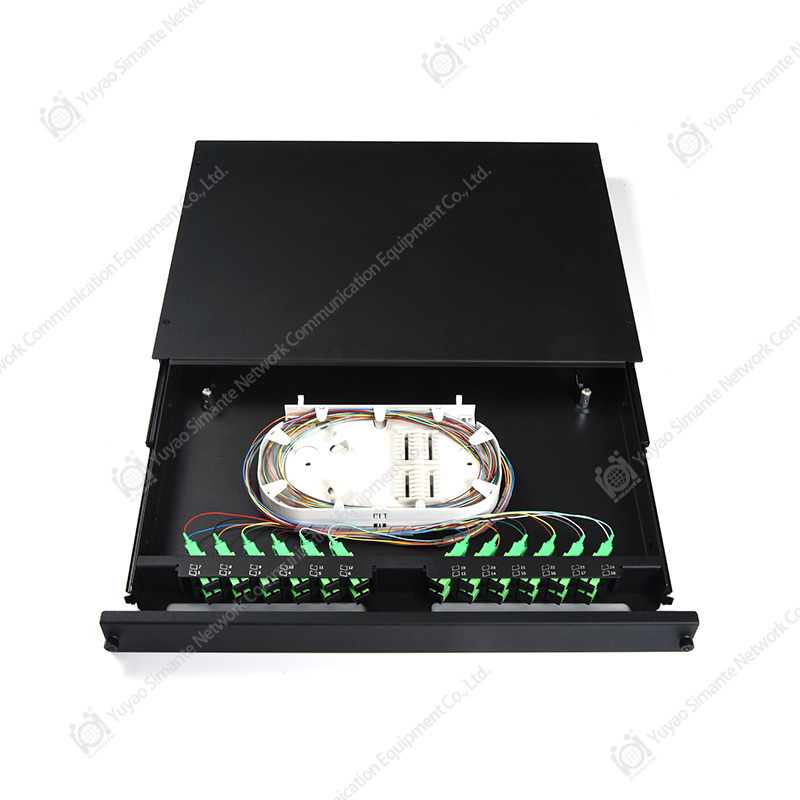 Custom Rack-Mount Fiber Optical Patch PanelsCompare rack-mount fiber patch panels by adapter type, port density, and routing, including 1U–3U sliding SC/LC models, terminal boxes, and custom high-density MPO/MTP options.View Product →
For wall-mounted or enclosure-based termination, the fiber series covers the fiber hardware side of the same cabling path. Buyers can compare adapter plates, splice trays, and enclosure formats, then discuss customization where a standard layout does not fit the project. The company reports more than 30,000 square meters of factory space, 50-plus precision machines, and export experience across more than 45 countries, which supports both standard orders and custom production runs.
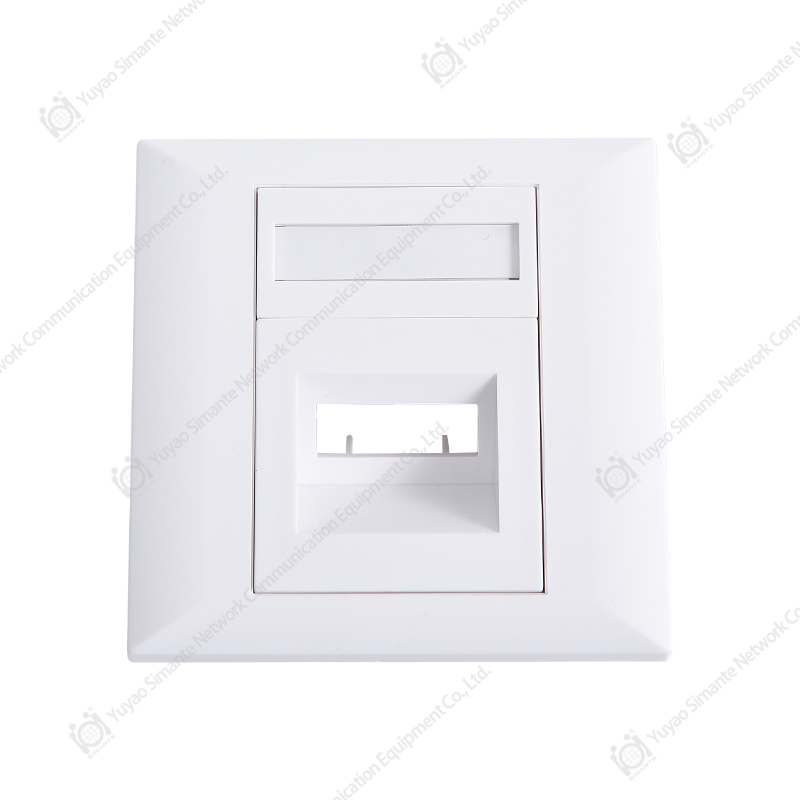 Fiber Series Patch Panels and SC FaceplatesCompare SC 86-type faceplates and 1U 24-port fiber patch panels for wall-mounted or enclosure termination, with OEM/ODM options for layout adjustments.View Product →
Custom work is usually where the details matter most. An adapter plate may need a different cutout, a splitter cassette may need a different mounting position, or the cable entry may need a larger gland. Those changes should be captured in a drawing and checked on a production sample. Simante’s customization process and regular production lines are set up to handle that kind of project-specific adjustment without treating every order as a prototype.
FAQ
What is a fiber distribution box used for?
A fiber distribution box protects splices and connectors and provides a controlled point for splitting, terminating, and distributing fiber. It is commonly used in FTTH networks, building entry points, campus cabling, and industrial fiber links.
How is a fiber distribution box different from a fiber patch panel?
A fiber distribution box is usually a field enclosure mounted on a wall, pole, or cabinet, while a fiber patch panel is usually a rack-mounted cross-connect component in an equipment room. The box is built for cable entry and environmental protection; the patch panel is built for dense patching and port access.
How do I choose the right fiber distribution box for FTTH?
Start with the feeder fiber count, splitter ratio, and number of drop cables. Then confirm the adapter type, splice capacity, cable entry size, and mounting method. For outdoor FTTH, check the IP rating, UV resistance, and grounding requirements before comparing prices.
What IP rating should an outdoor fiber distribution box have?
IP65 or higher is common for outdoor pole and wall boxes, but the rating should match the actual exposure. A sheltered wall location may not need the same protection as a pole in open rain. Check the gasket, cable entries, and lid closure as well as the IP label.
Can one fiber distribution box hold splices and a splitter?
Yes, many fiber distribution boxes are designed for both splice trays and splitter cassettes. The key is to confirm that the internal layout gives each function enough space and that the splitter cassette does not block access to the splice tray.
How many fibers should a wall-mounted fiber distribution box support?
Small wall boxes often support 4 to 12 fibers, while larger wall or cabinet models may support 24 or 48 fibers. The right number depends on current drops plus spare capacity, not just the port count on the datasheet.
What should I check when buying from a fiber distribution box supplier?
Check whether the supplier is a manufacturer or a trading company, request a production sample, and confirm the adapter plate drawing, splitter test report, and packaging method. For custom work, ask who controls the drawing and who inspects the first article.
Can Simante customize a fiber distribution box for a project?
Simante offers customization for fiber and copper cabling products, including adapter plates and enclosure configurations. The practical path is to provide the fiber count, connector type, splitter ratio, cable entry size, and mounting requirement, then review a drawing and sample before production.
Project Resources
Need a manufacturer profile? Learn about Simante’s factory, production lines, and fiber product background.
Comparing enclosure options? Read the fiber optical patch panel explainer.
These pages are useful when a project team needs to align the field enclosure, rack cross-connect, and cabling hardware before the bill of materials is finalized. They also help separate standard catalog items from custom work that needs a drawing review.
Final Checklist Before You Approve the Order
Before a fiber distribution box order is released, the buyer should have a clean set of answers that the installer, project manager, and procurement team can all use. The checklist below is deliberately practical. It focuses on the details that cause site changes, not on marketing features.
- Confirm the mounting method: wall, pole, cabinet, or rack.
- Confirm the environment and IP rating, including cable entry sealing.
- Confirm adapter type, polish, and port count.
- Confirm splice capacity and splitter ratio, with spare capacity noted.
- Check the internal layout with the actual splitter cassette and drop cable bundle.
- Approve the adapter plate drawing and labeling method.
- Review the production sample, not only a prototype.
- Confirm packaging, lead time, and documentation.
A fiber distribution box is a small part of the bill of materials, but it sits at the point where outside plant, building cabling, and subscriber service meet. That makes it worth a careful review. When the enclosure, splitter, adapter plate, and cable entry are chosen together, installation is faster and service work is less disruptive. When they are chosen separately, the field team usually pays the difference.