Español
 عربى
عربى русский
Content
- 1 Why Choose CAT3 Keystone Jack for Your Network?
- 2 Can CAT3 Keystone Jack Support Home Telephone Networks?
- 3 Why Are Some Offices Still Using CAT3 Keystone Jack?
- 4 Which Materials Make CAT3 Keystone Jack More Durable?
- 5 How to Install a CAT3 Keystone Jack Quickly and Correctly?
- 6 How to Replace a CAT3 Keystone Jack by Yourself?
- 7 What Are the Common Mistakes When Using CAT3 Keystone Jack?
- 8 How to Test If Your CAT3 Keystone Jack Is Working?
- 9 Why Choose CAT3 Keystone Jack Over CAT5 or CAT6?
- 10 How to Choose the Right CAT3 Keystone Jack for Wall Panels?
- 11 CAT3 Network Cabling Solution: Structured Cabling System Integration
- 12 About Yuyao Simante Network Communication Equipment Co., Ltd.
- 13 Frequently Asked Questions About CAT3 Keystone Jack
The CAT3 Keystone Jack remains one of the most cost-effective and reliable components in traditional telephone network infrastructure. Designed to support voice-grade communication and low-speed data transmission up to 16 MHz, it provides a practical solution for facilities that prioritize telephone connectivity over high-bandwidth data needs. Whether you are managing a legacy office telephone system, a hotel PBX network, or a residential telephone wiring project, understanding the role and capabilities of the CAT3 Jack is essential before making purchasing or installation decisions.
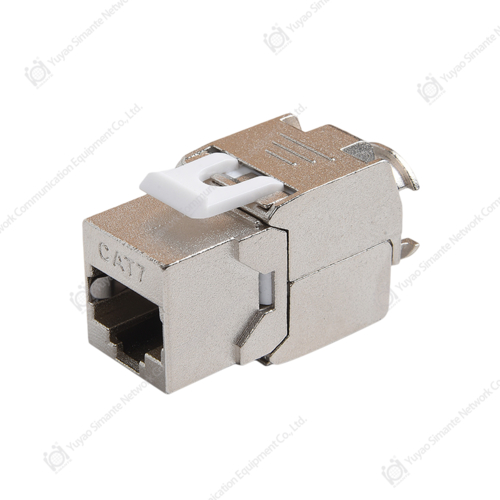
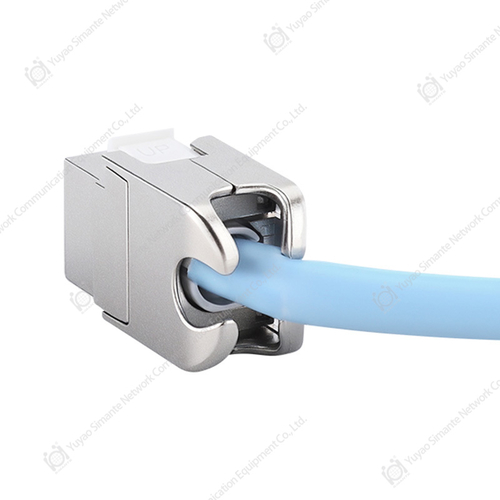
At its core, a CAT3 Keystone Jack is a modular termination point used in structured cabling systems. It is compatible with standard 110-style punch-down termination and fits into any universal wall plate or patch panel that accepts keystone-format modules. The jack provides a clean, secure interface for CAT3-rated twisted pair cables, supporting up to 4 pairs (8 conductors), though voice applications typically use only 2 pairs. Its compact form factor and tool-friendly termination design make it a preferred choice for network installers seeking efficiency and reliability.
From a structured cabling system perspective, CAT3 components serve as the foundational layer for voice-dedicated horizontal cabling runs. When deployed alongside keystone jack cat6 or rj45 keystone jack modules within a unified faceplate, they allow a single network face plate to support both telephone and data connectivity — a practical design approach in mixed-use environments.
Why Choose CAT3 Keystone Jack for Your Network?
Choosing the right keystone jack for your application requires a clear understanding of your network's purpose. For environments where the primary requirement is telephone communication rather than high-speed data, the CAT3 Keystone Jack offers several distinct advantages that make it a compelling choice over higher-category alternatives.
First, cost efficiency is one of the most cited reasons organizations continue to deploy CAT3 components. For large hotel chains, call centers, or office buildings with dedicated voice networks, outfitting hundreds of telephone outlets with CAT3 modules rather than CAT6 equivalents can result in meaningful infrastructure savings — without any performance compromise, since telephone circuits do not benefit from higher-category specifications.
Second, CAT3 Keystone Jacks offer full compatibility with existing CAT3 cabling plants. Re-terminating old cable runs with new keystone modules is far more economical than rewiring entire floors. This makes CAT3 the preferred choice for maintenance, renovation, and retrofit projects where the underlying cable infrastructure is already in place.
Third, the simplicity of the CAT3 wiring standard makes it highly accessible for non-specialist installers. With straightforward color-code schemes (typically T568A or T568B for 4-pair, or blue/white-blue for 2-pair voice), installation errors are minimized, and troubleshooting is fast.
Survey data reflects procurement priorities across telecom and facilities management teams. Cost efficiency and legacy compatibility consistently rank as the primary drivers for continued CAT3 adoption. These results highlight that CAT3 is not simply a legacy holdover — it is an intentional, value-driven choice for voice-centric deployments. Organizations that maintain dedicated voice networks continue to find CAT3 infrastructure both practical and economically sound.
Can CAT3 Keystone Jack Support Home Telephone Networks?
One of the most common questions homeowners ask during renovation or rewiring projects is whether a CAT3 Keystone Jack is adequate for their home telephone network. The answer is straightforwardly yes — and in many cases, it is the most appropriate component available for this application.
Residential telephone service in most regions operates at frequencies well below 4 kHz for voice, and analog DSL services typically operate below 1.1 MHz. Both fall comfortably within the CAT3 specification of 16 MHz bandwidth. This means that a properly terminated Telephone Jack based on CAT3 will deliver full signal quality for standard telephone conversations, fax machines, and even older-generation DSL connections.
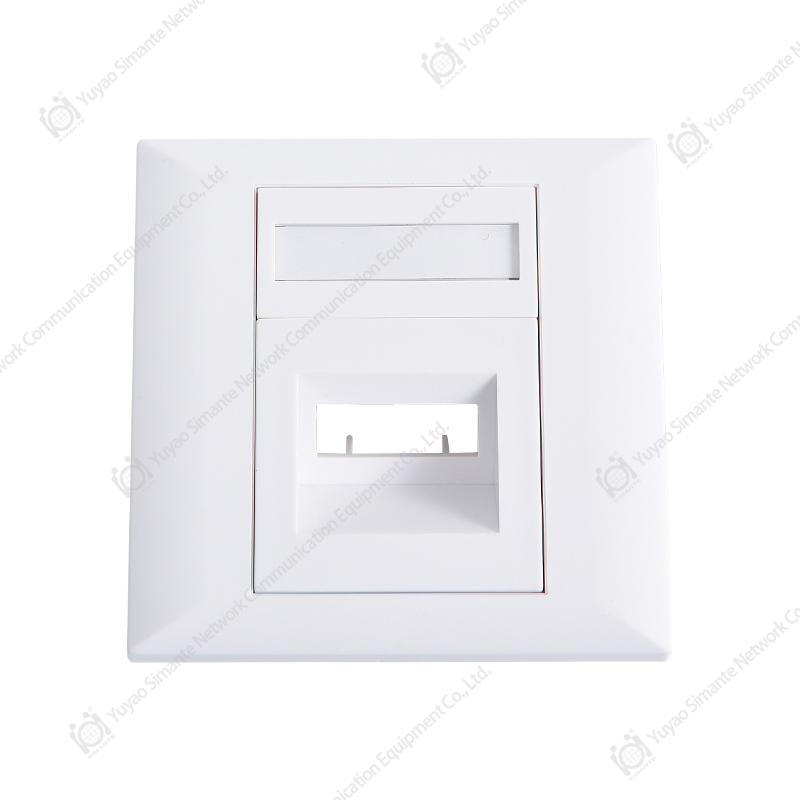
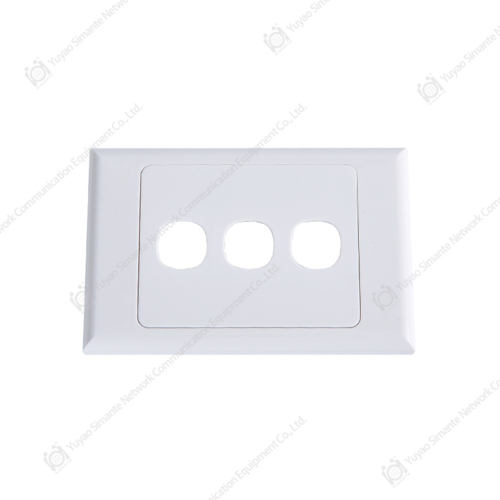
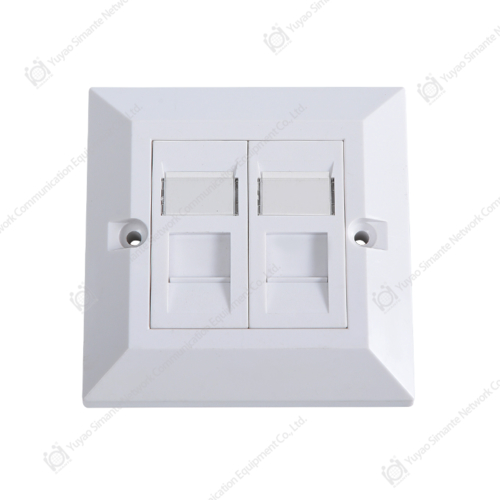
For home use, the CAT3 Keystone Jack is typically installed within a standard Wall Plate — either a single-port or dual-port network faceplate — mounted flush against the wall. The modular design means you can replace a failed jack without rewiring the entire outlet, and the universal keystone format ensures compatibility with faceplates from multiple manufacturers.
Additionally, in homes that combine phone and internet services, a dual-port faceplate rj45 configuration allows one port for telephone (CAT3) and one port for data (CAT5e or CAT6), sharing a single wall plate and minimizing the number of wall cutouts required. This hybrid approach is both aesthetically cleaner and cost-effective.
| Application | CAT3 Suitable? | Reason |
|---|---|---|
| Home Telephone (POTS) | Yes | Operates below 4 kHz, well within CAT3 range |
| Fax Machines | Yes | Standard PSTN signaling fully supported |
| PBX Office Telephone Systems | Yes | Most PBX stations use 2-pair voice-grade wiring |
| VoIP Desk Phones | Partial | RJ45 data port needed; CAT3 for analog adapter only |
| Gigabit Ethernet | No | Requires CAT5e minimum; CAT3 insufficient bandwidth |
| Security/Alarm Systems | Yes | Low-frequency signaling fully compatible with CAT3 |
Why Are Some Offices Still Using CAT3 Keystone Jack?
The persistence of CAT3 infrastructure in modern office environments is not merely a sign of outdated systems — it reflects deliberate infrastructure planning. Many large organizations operate parallel cabling plants: one dedicated to data (running CAT6 or CAT6A) and one dedicated to voice (running CAT3). This separation offers clear advantages in terms of network management, fault isolation, and cost control.
In a typical office deployment, CAT3 patch panel connector assemblies serve the telephone distribution frame, while separate patch panel cat6 assemblies handle data switching. This clear segregation reduces cross-talk risks and simplifies troubleshooting. Facilities managers can address phone issues without touching the data network, and vice versa.
Furthermore, the economics of maintaining an existing CAT3 voice infrastructure are compelling. Replacing a working CAT3 voice network with a data-over-IP system requires not only new cabling but also IP phone hardware, Power over Ethernet (PoE) switches, and potentially a new VoIP platform license. For businesses with stable telephone requirements, the return on investment for such migration may not justify the disruption.
Industry data suggests that as of 2024, approximately 38% of commercial buildings in developed markets still maintain active CAT3 voice infrastructure alongside modern data cabling. This figure is particularly high in the hospitality sector (hotels, resorts) and in government facilities, where telephony standards often evolve more slowly than in the private tech sector.
While CAT3 infrastructure adoption has declined steadily over the past five years as VoIP migration accelerates, a substantial portion of commercial buildings continue to operate CAT3 voice systems. The decline from 72% in 2019 to 38% in 2024 indicates active migration, but also confirms that CAT3 remains operationally relevant for a large segment of the market. Facilities undergoing phased modernization often retain CAT3 for voice even as they upgrade data cabling to CAT6 or higher, treating both systems as complementary rather than competing.
Which Materials Make CAT3 Keystone Jack More Durable?
The longevity of a CAT3 Keystone Jack depends significantly on the materials used in its construction. While all keystone jacks follow similar mechanical form factors, the quality of raw materials directly determines performance over time, particularly in high-use commercial environments.
Housing Material
The outer housing of a keystone jack is typically manufactured from flame-retardant ABS or PC/ABS blend thermoplastics. High-quality housing should meet UL94 V-0 flame retardancy requirements, which ensures the material will not propagate flame if exposed to localized heat sources. ABS housings with UV stabilizers are preferable for installations in areas with natural light exposure, as standard ABS will yellow and become brittle over time under UV radiation.
Contact Material and Plating
The electrical contacts within the jack are the most performance-critical material component. Premium keystone jack manufacturers use phosphor bronze or beryllium copper contacts with a multi-layer plating system: a nickel undercoat followed by 50 microinches or more of gold plating on the contact surfaces. Gold plating is essential because it resists oxidation and corrosion, ensuring stable low-resistance contact even after thousands of plug insertions. Contacts with less than 30 microinches of gold plating will show measurable contact resistance increase within 2–3 years in humid environments.
IDC (Insulation Displacement Contact) Terminals
The punch-down IDC terminals where the cable conductors are terminated are equally important. These should be manufactured from high-carbon steel or copper alloy with tin plating. The IDC slot geometry must match the conductor gauge being terminated (typically 22–26 AWG for CAT3), with blade edges sharp enough to reliably pierce conductor insulation on a single punch stroke. Poorly made IDC terminals may fail to create a gas-tight connection, leading to intermittent signal loss that is notoriously difficult to diagnose.
Material quality scores are based on composite ratings from field performance testing across multiple installation environments. Gold-plated contacts and IDC terminal quality emerge as the most critical durability factors, with scores of 9.2 and 8.8 respectively. The housing material ranks closely behind, demonstrating that while external construction matters, internal contact quality ultimately determines long-term reliability. Buyers should prioritize gold plating thickness and IDC precision when evaluating keystone jack quality from different manufacturers.
How to Install a CAT3 Keystone Jack Quickly and Correctly?
Installing a CAT3 Keystone Jack is a straightforward process that most competent DIYers or entry-level technicians can complete in under 10 minutes per outlet. The key to a reliable installation is proper wire preparation, correct pair assignment, and firm IDC termination. Below is a step-by-step guide for standard CAT3 Keystone Jack installation.
Tools and Materials Required
- CAT3 Keystone Jack (110-style IDC termination)
- Punch-down tool (110-style blade, preferred; screwdriver viable for latch-type jacks)
- Cable stripper or utility knife
- Flush cutters or diagonal pliers
- Network faceplate or keystone wall box
- Wiring diagram (T568A or T568B color code chart)
Step-by-Step Installation Procedure
- Strip the cable jacket: Remove approximately 40mm of the outer jacket using a cable stripper. Take care not to nick the conductor insulation. For CAT3, the pairs are typically color-coded in blue, orange, green, and brown pairs.
- Untwist and straighten the pairs: Separate each pair and untwist the conductors sufficiently to reach the IDC terminals, but avoid untwisting more than necessary — excessive untwisting can increase crosstalk, even in voice applications.
- Refer to the wiring diagram: For voice-only terminations, only the blue pair is typically required. For 4-pair terminations using T568A or T568B, refer to the color code printed on the jack body.
- Seat each conductor into its IDC slot: Lay each wire over the corresponding IDC slot. Ensure the conductor is fully seated at the base of the slot before punching down.
- Punch down each conductor: Using the punch-down tool (cutting edge facing outward), press firmly until you hear/feel the click. The tool will seat the conductor and cut off the excess simultaneously.
- Trim excess conductors: If your punch-down tool does not have an integrated cutter, trim any conductor tails flush with the jack body using flush cutters.
- Snap the jack into the faceplate: Align the keystone module with the faceplate port and press firmly until it clicks into the retention latches. Mount the faceplate to the wall box using the provided screws.
For CAT3 wall plate wiring in telephone applications, connecting only the blue pair (pins 4 and 5 of the RJ11 standard) is sufficient for a single telephone line. A second line can utilize the orange pair (pins 1 and 2), making CAT3 suitable for two-line telephone service from a single outlet.
How to Replace a CAT3 Keystone Jack by Yourself?
Replacing a failed or damaged CAT3 Keystone Jack is one of the simplest maintenance tasks in structured cabling. Unlike older telephone wall jacks that were hardwired, the keystone module design allows complete replacement without touching the in-wall cable. This is the primary reason keystone jack replacement tips focus on module-level swapping rather than full rewiring.
To remove the old jack, insert a flat screwdriver or keystone removal tool into the release notch on the side of the module and press the latch while pulling the module forward. Most keystone jacks release easily without tools if the faceplate is removed first. Once the old module is out, note the wiring positions before desoldering or un-punching any conductors — taking a photograph of the old termination with your phone is a reliable reference for rewiring.
With the conductors freed from the old jack, trim back approximately 5–10mm of each conductor to expose fresh, unoxidized copper before re-terminating into the new jack. This small step prevents the reliability issues that arise from reusing previously compressed IDC contact points on the same section of wire. Follow the same punch-down procedure described in the installation guide above.
When selecting a replacement module, ensure the new jack is compatible with the existing faceplate manufacturers network face plate format in use. Standard keystone snap-in dimensions (approximately 14.5mm × 19.5mm) are universal across most brands, but some proprietary systems use modified locking geometry. Measuring the opening in your existing faceplate before purchasing ensures a clean fit.
What Are the Common Mistakes When Using CAT3 Keystone Jack?
Even experienced installers occasionally make errors when working with CAT3 Keystone Jacks. Understanding the most common mistakes — and how to avoid them — can save considerable troubleshooting time and prevent premature component failure.
- Using T568A wiring on one end and T568B on the other: This creates a crossover configuration that will not function correctly for telephone or data applications. Always verify that both ends of a run use the same wiring standard.
- Punching down with the cutting edge reversed: If the punch-down tool blade is inserted backwards, the conductor will be cut flush before being fully seated in the IDC slot, resulting in an open circuit. Verify blade orientation before each termination.
- Excessive jacket removal: Removing more than 50mm of jacket introduces an unshielded section of cable that is more susceptible to induced noise, even in voice applications. Keep jacket removal to the minimum needed to reach all IDC positions.
- Mixing CAT3 and higher-category components in the same channel: The effective performance of any cabling channel is limited by its weakest component. If a CAT3 jack is used in a channel intended for higher-category performance, the entire channel is downgraded to CAT3 specifications.
- Forcing incompatible RJ45 plugs into CAT3 jacks: Some lower-quality RJ45 Male Connector variants have oversized housing dimensions that can damage the spring contacts inside the jack. Use modular plugs whose dimensions match the jack specification.
- Skipping cable labeling: In multi-outlet installations, unlabeled runs make troubleshooting exponentially more difficult. Label both the cable and the jack at the time of installation.
How to Test If Your CAT3 Keystone Jack Is Working?
After installation or replacement, testing the CAT3 Keystone Jack ensures the termination is correct and the circuit is functional. Several testing methods are available, ranging from simple continuity checks to comprehensive cable certification.
Basic Continuity Testing
A simple cable tester (sometimes called a "wire mapper") is the standard tool for verifying CAT3 terminations. Connect the tester's main unit to one end of the run and the remote unit to the other, then confirm that all expected pairs are connected correctly with no opens, shorts, or reversed pairs. For a 2-pair voice termination, only pins 1, 2, 4, and 5 need to confirm continuity.
Telephone Signal Test
For telephone applications, the ultimate functional test is plugging a working telephone handset into the jack and listening for a dial tone. If the telephone is connected to an active telephone circuit (PSTN, PBX extension, or ATA adapter), a clear dial tone with no static confirms that the termination is electrically sound and the circuit is intact. Static or no dial tone typically indicates an open circuit at the IDC termination, a pair reversal, or a fault in the cable run itself.
Multimeter Testing
If a cable tester is unavailable, a standard digital multimeter set to continuity mode can verify pair integrity. Short the conductors at one end (using a patch cord with the far-end RJ11 plugged into itself) and probe each pair at the jack. Resistance of less than 10 ohms per pair indicates good continuity. Resistance above 50 ohms or infinite resistance suggests a poor IDC connection or a break in the cable.
Why Choose CAT3 Keystone Jack Over CAT5 or CAT6?
This is one of the most frequently debated questions among network installers and facilities managers. The answer depends entirely on the intended application. For voice-only or low-frequency signaling applications, CAT3 is a technically valid and cost-efficient choice that does not require the higher-specification materials or tighter manufacturing tolerances of keystone jack cat6 or rj45 keystone jack products.
From a performance perspective, CAT3 supports up to 16 MHz bandwidth, which is more than sufficient for analog voice signals (300 Hz–3.4 kHz) and ISDN basic rate interface (80 kbps). CAT5 extends this to 100 MHz and CAT6 to 250 MHz — capabilities that are genuinely valuable for Ethernet data but entirely unnecessary for telephone service.
However, in structured cabling system designs intended to support both voice and data from the same outlet, or in installations where future repurposing of outlets for data is likely, deploying CAT6 patch panel infrastructure from the start is the more forward-looking approach. The incremental cost of using a higher-category jack is small relative to labor costs, and it preserves flexibility.
The radar chart illustrates how CAT3, CAT5e, and CAT6 keystone jacks compare across six practical dimensions. CAT3 dominates on voice suitability and cost efficiency, making it the clear choice for dedicated voice infrastructure. CAT6 leads on data speed and durability, justifying its use in high-performance data networks. CAT5e offers a balanced middle ground. Understanding this comparison helps specify the correct component type for each application rather than defaulting to higher-category products unnecessarily.
How to Choose the Right CAT3 Keystone Jack for Wall Panels?
Selecting the correct CAT3 Keystone Jack for a wall panel installation involves matching several technical and dimensional specifications. The most common mistake is assuming all keystone modules are interchangeable — while the standard snap-in form factor is widely adopted, there are important differences in port configuration, color coding, and compatibility that affect the final installation.
Port Configuration
For telephone applications, an RJ11/RJ12 port configuration is standard, accepting 4P4C or 6P6C telephone plugs. For applications requiring RJ45 compatibility (such as analog telephone adapters used with VoIP systems), select a jack with an RJ45 port — this accepts both RJ45 plugs for data and RJ11 plugs for telephone, providing maximum flexibility. Confirm that the jack you select supports the plug type used at your telephone equipment.
Compatibility with Blank Patch Panel and Faceplate Systems
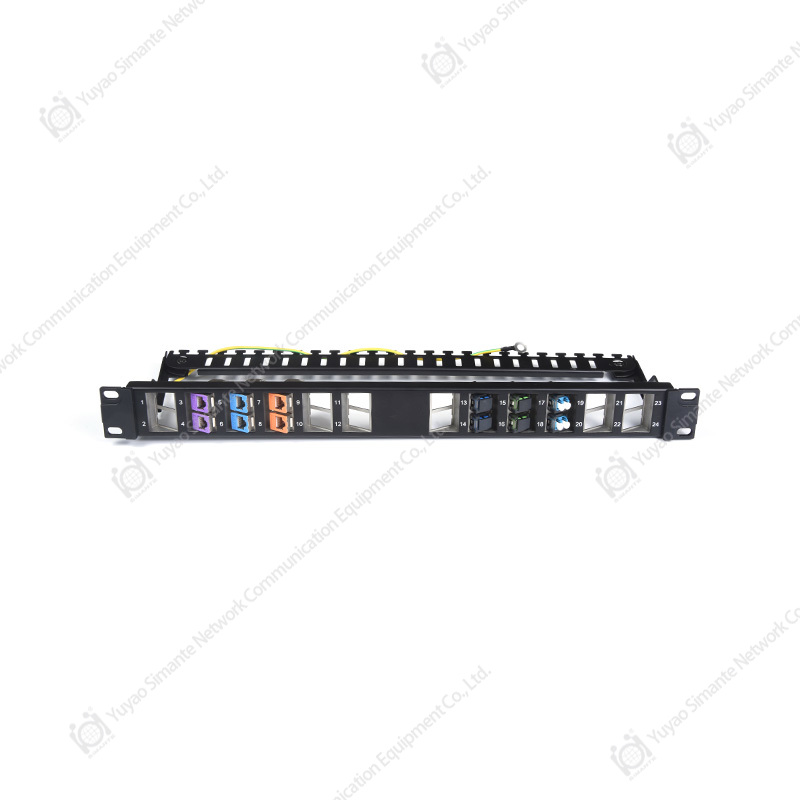
When deploying CAT3 jacks in a patch panel or blank patch panel assembly, verify that the keystone module dimensions match the cutout size of the panel. Standard 19-inch patch panels from Patch Panel manufacturers typically accommodate 24 or 48 ports in standard keystone format, providing a clean, scalable termination solution for telephone distribution frames.
For wall-mounted applications, faceplate manufacturers offer single-port, dual-port, and multi-port network face plate options in both standard (UK and European) and North American (Decora) form factors. Selecting a faceplate that accommodates multiple keystone port types — including both CAT3 telephone and keystone jack cat6 data modules — allows a single outlet to serve multiple connectivity needs.
Color Coding for Port Identification
Many installers use color-coded keystone jacks to visually differentiate voice ports (CAT3, often in white or gray) from data ports (CAT6, often in blue or yellow). This simple labeling convention significantly reduces user errors and accelerates troubleshooting. Confirm that your chosen supplier offers keystone jacks in the color codes used by your organization's cabling standards.
CAT3 Network Cabling Solution: Structured Cabling System Integration
Within a comprehensive structured cabling system, CAT3 components occupy a well-defined role in the voice horizontal subsystem. According to ANSI/TIA-568 standards, CAT3 cable and associated hardware are recognized as a valid voice-grade option for horizontal runs from the telecommunications room to the work area outlet. Understanding how CAT3 Keystone Jacks integrate into the broader cabling architecture helps network designers make informed decisions about infrastructure investment.
In a typical building, the voice distribution path runs from a main distribution frame (MDF) through intermediate distribution frames (IDF) to individual floor outlets. At each outlet, a CAT3 Keystone Jack terminates the horizontal cable and connects to the telephone equipment via a patch cord. At the IDF, the other end of the horizontal cable terminates on a patch panel or 110-style voice distribution block, completing the channel.
The network cabling solution that incorporates CAT3 alongside higher-category data cabling creates what standards bodies call a "balanced" structured cabling system — one where each service type uses the appropriate category of hardware, preventing over-specification (and overspending) where it adds no functional value. This approach is especially relevant for structured cable products procurement in large installations where managing costs across hundreds or thousands of outlets has meaningful budget implications.
This relative cost comparison illustrates the economic rationale for deploying CAT3 in voice-dedicated environments. A purely CAT3 voice infrastructure represents approximately 35% of the cost of an equivalent all-CAT6 deployment, while a mixed infrastructure (CAT3 for voice, CAT6 for data) balances capability with efficiency at around 62% of all-CAT6 cost. These figures underscore why facilities with dedicated voice networks continue to invest in CAT3 structured cabling products rather than upgrading to higher-category hardware where no performance benefit would be gained.
About Yuyao Simante Network Communication Equipment Co., Ltd.
Yuyao Simante Network Communication Equipment Co., Ltd. is a professional manufacturer of network cabling solutions and optical fiber products, integrating design, development, sales, and service. In nearly 20 years of service, the company has remained committed to meeting customer needs through deep technical expertise and delivering value from the very first moment of online communication.
Simante's product portfolio spans the full spectrum of structured cabling system components, including keystone jack manufacturers output covering CAT3 through CAT6A, Patch Panel manufacturers assemblies from 12-port to 48-port configurations, and a wide selection of faceplate manufacturers network face plate solutions in standard and custom configurations. The company also produces RJ45 Male Connector and modular plug assemblies certified to international wiring standards.
Based on a mature research and development system, the quality stability of Simante products is guaranteed at the design source. With more than 10 engineers and over 30 full-time technical personnel, the company continuously improves product quality and drives product innovation. This technical depth ensures that every component — from a Net Keystone Jack to a blank patch panel — meets the dimensional and electrical specifications required for reliable structured cabling performance.
Frequently Asked Questions About CAT3 Keystone Jack
Q1: Can CAT3 Keystone Jack handle modern data speeds?
No. CAT3 is rated to 16 MHz bandwidth, which supports up to 10BASE-T Ethernet (10 Mbps) at best. Modern network applications requiring Fast Ethernet (100 Mbps) or Gigabit Ethernet (1000 Mbps) require CAT5e or CAT6 cabling and connectors. CAT3 is best reserved for voice telephone service, security system wiring, and legacy low-speed applications.
Q2: What is the difference between a CAT3 and CAT6 Keystone Jack?
The primary differences are bandwidth capacity, contact precision, and manufacturing tolerances. CAT6 jacks feature tighter pair geometry, superior crosstalk suppression, and contacts rated to 250 MHz. CAT3 jacks are designed for voice-grade performance at 16 MHz with simpler construction. For data networks, CAT6 is required; for telephone voice circuits, CAT3 is fully adequate and more cost-effective.
Q3: How long does a CAT3 Keystone Jack typically last?
A quality CAT3 Keystone Jack from reputable keystone jack manufacturers is rated for a minimum of 750 plug mating cycles. Under typical office or residential use (1–2 plug insertions per year), this translates to well over 20 years of service life. Jacks in high-use environments (hotel rooms, shared workspaces) may show wear sooner and benefit from periodic replacement as part of routine maintenance.
Q4: Can I use a CAT3 Keystone Jack for VoIP phones?
It depends on the VoIP phone type. Analog VoIP phones that connect via an RJ11 telephone port through an Analog Telephone Adapter (ATA) can use a CAT3 Keystone Jack for the analog voice segment. However, IP phones that connect directly via an RJ45 Ethernet port require a data-grade connection — CAT5e or CAT6 — and cannot use a CAT3 jack for that connection.
Q5: Is CAT3 Keystone Jack compatible with standard faceplates and patch panels?
Yes. CAT3 Keystone Jacks follow the universal keystone snap-in standard and are compatible with any faceplate or patch panel designed for keystone modules — including blank patch panel assemblies, surface-mount boxes, and multi-port network faceplates. This interchangeability means CAT3 voice jacks and CAT6 data jacks can coexist within the same faceplate or panel for mixed-service outlets.
Q6: Where can I find a reliable CAT3 keystone outlet guide or wiring reference?
Most CAT3 Keystone Jacks ship with a color-code wiring guide printed on the jack body itself or included as a reference card. The ANSI/TIA-568 standard provides the authoritative reference for structured cabling wiring configurations. Manufacturers including Simante also provide downloadable installation guides and technical datasheets on their product pages, covering wiring diagrams, punch-down sequences, and compatibility information.