Español
 عربى
عربى русский
Content
- 1 What Is a Network Faceplate
- 2 Main Types of Network Faceplates
- 3 Comparison of Common Network Faceplate Types
- 4 Key Components of a Network Faceplate System
- 5 Network Faceplate Standards and Cable Categories
- 6 How to Choose the Right Network Faceplate
- 7 Network Faceplate vs. Patch Panel: Key Differences
- 8 Practical Installation Tips
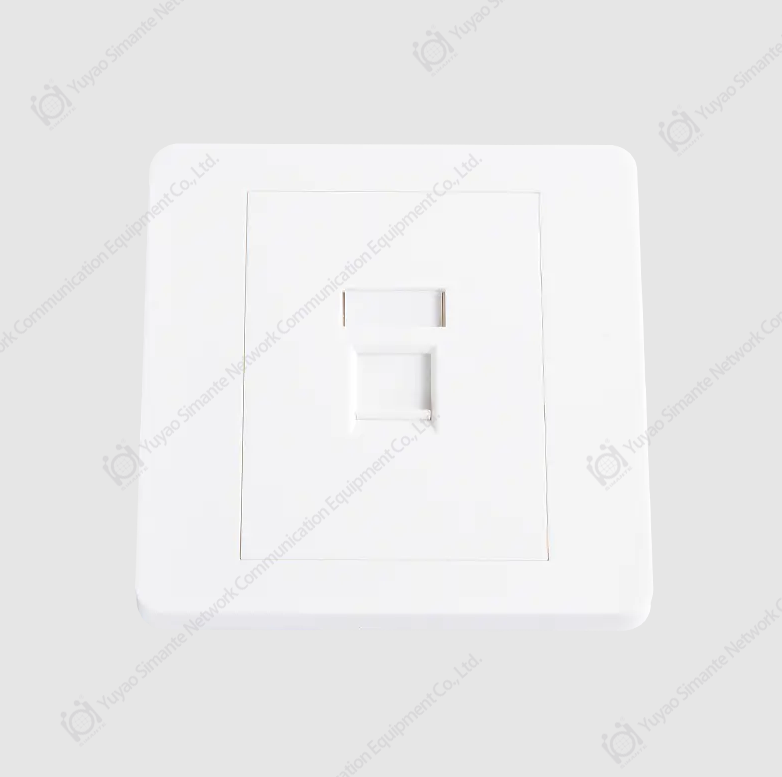
A network faceplate is a wall-mounted panel installed in homes, offices, and data centers that provides a clean, secure interface for connecting network cables—such as Ethernet or fiber optic—to structured cabling systems. It acts as the visible endpoint of in-wall cabling, accepting keystone jacks or modules that link internal wiring to user-facing ports. Rather than leaving cables exposed or loosely terminated, a network faceplate organizes and protects connections while delivering a professional finish. Available in single-port to 6-port or more configurations, faceplates are a fundamental component in any structured network installation.
What Is a Network Faceplate
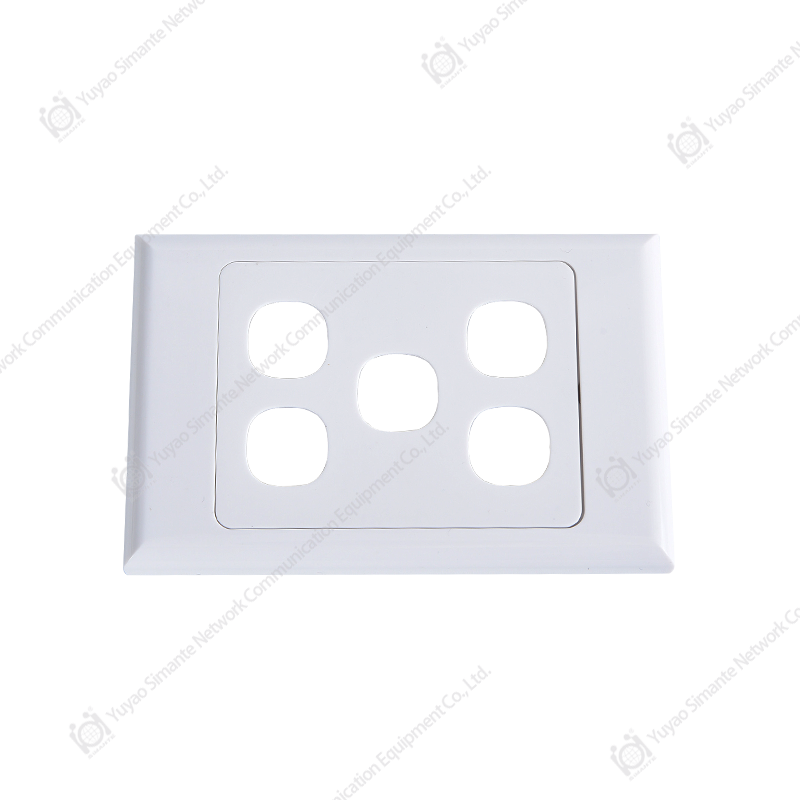
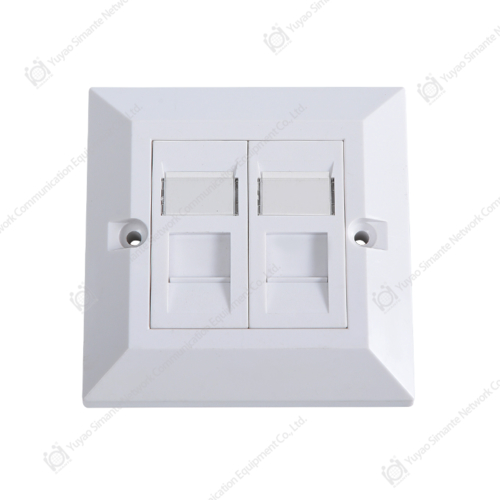
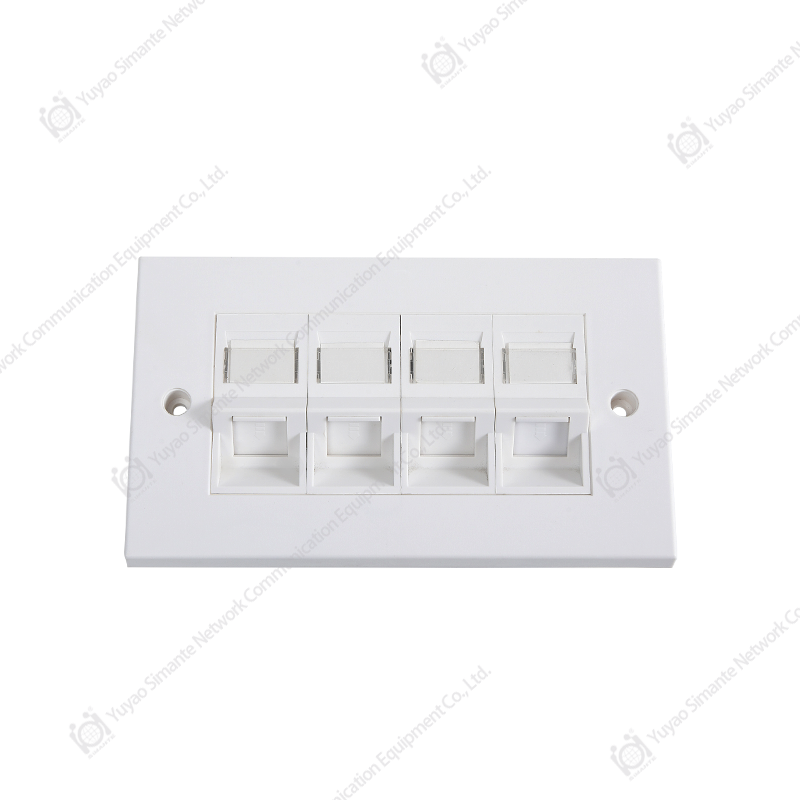
A network faceplate is a flat plate—typically made of plastic or metal—that mounts flush against a wall or surface and houses one or more keystone jacks, RJ45 ports, or fiber adapters. It connects the structured in-wall cabling to devices like computers, phones, or switches through a simple plug-in interface.
Faceplates are used in residential networking, commercial IT infrastructure, and industrial environments. They are installed in wall boxes (also called back boxes) that sit recessed into the wall, giving the installation a finished appearance. A key distinction is that the faceplate itself does not terminate wires—that function belongs to the keystone jack inserted into the faceplate's ports.
Common applications include:
- Ethernet data outlets in offices and homes
- Telephone connection points
- Fiber optic termination panels on walls
- Audio/video signal distribution in conference rooms
- USB and HDMI wall outlets in smart buildings
Main Types of Network Faceplates
Network faceplates come in several distinct types, each suited to different cabling standards, port counts, and installation environments. Understanding the differences helps ensure the right selection for any given project.
1. Keystone Faceplate (Modular Faceplate)
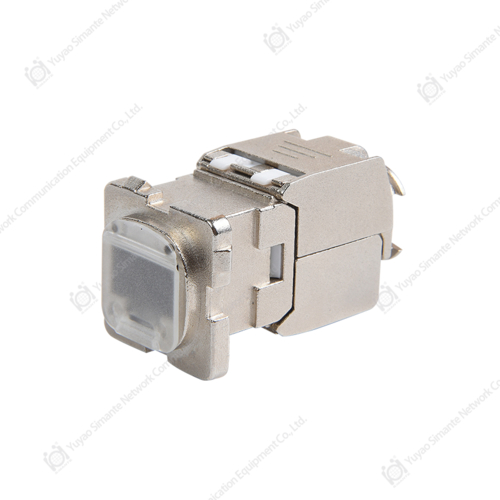
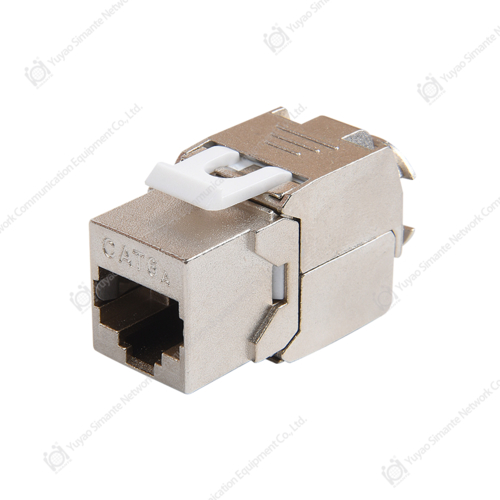
The most widely used type, keystone faceplates accept interchangeable keystone jacks in a snap-in format. This modularity allows the same faceplate to support Ethernet (Cat5e, Cat6, Cat6A), coaxial, fiber, USB, or HDMI jacks simply by changing the inserted module. Port counts typically range from 1 to 6 ports per faceplate.
Keystone faceplates are preferred in commercial installations because they allow future upgrades without replacing the entire wall outlet—only the keystone jack needs to be swapped.
2. Fixed-Port Faceplate
Fixed-port faceplates have integrated, non-removable ports built directly into the plate. These are common in legacy telephone installations and lower-cost residential projects. While less flexible than keystone types, they are often more economical for single-use deployments where cable type will not change.
3. Fiber Optic Faceplate
Designed specifically for fiber optic cabling, these faceplates house LC, SC, ST, or MTP/MPO adapters. They are used in high-speed environments such as data centers, university campuses, and enterprise backbones where data transmission speeds exceed 10 Gbps. Fiber faceplates must protect the optical connectors from dust and physical damage, so they typically include dust caps or shuttered ports.
4. Surface-Mount Faceplate
Where cutting into walls is not practical—such as in older buildings, concrete structures, or temporary installations—surface-mount faceplates are attached directly to the wall surface rather than recessed into it. They come with a built-in back box and are quicker to install, though slightly more prominent visually.
5. Floor Box / Underfloor Faceplate
Used in open-plan offices and conference rooms, floor box faceplates are installed in raised floors or concrete floors. They provide data, power, and AV connections at desk level without wall routing. A single floor box may house 4 to 12 ports, combining Ethernet, power, and multimedia outlets in one unit.
6. Multimedia / Combination Faceplate
Multimedia faceplates accommodate mixed signal types in a single plate—for example, combining RJ45 Ethernet ports, HDMI, USB-A, and 3.5mm audio jacks. These are especially popular in modern conference rooms, classrooms, and home theater setups where multiple connection types are needed at one outlet location.
Comparison of Common Network Faceplate Types
| Type | Port Flexibility | Typical Use | Installation | Common Port Count |
|---|---|---|---|---|
| Keystone (Modular) | High | Office, home, enterprise | In-wall | 1–6 |
| Fixed-Port | Low | Residential, telephony | In-wall | 1–2 |
| Fiber Optic | Medium | Data center, campus | In-wall / surface | 1–4 |
| Surface-Mount | Medium | Retrofit, concrete walls | Surface | 1–4 |
| Floor Box | High | Open-plan offices | Underfloor | 4–12 |
| Multimedia | High | Classrooms, AV rooms | In-wall / surface | 2–6 |
Key Components of a Network Faceplate System
A complete faceplate installation involves several components working together:
- Faceplate body: The outer plate in standard sizes such as UK single (86×86mm), UK double (86×146mm), or US 1-gang / 2-gang formats
- Keystone jacks: Snap-in modules that terminate Cat5e, Cat6, Cat6A, or fiber cables and accept RJ45 plugs or fiber connectors
- Back box / wall box: A recessed housing mounted inside the wall that the faceplate screws onto
- Port labels / icons: Identification markers, color-coded or text-labeled, to distinguish data, voice, or AV ports
- Dust caps: Protective covers for unused ports, especially critical in fiber optic applications
Network Faceplate Standards and Cable Categories
The performance of a network faceplate installation is only as good as the cabling and keystone jacks used within it. Faceplates must be matched to the cable category being deployed:
- Cat5e: Supports up to 1 Gbps at 100MHz; suitable for most residential and basic commercial networks
- Cat6: Supports up to 1 Gbps at 250MHz with better crosstalk performance; widely used in modern office deployments
- Cat6A: Supports up to 10 Gbps at 500MHz; required for high-density environments and PoE++ applications
- Cat8: Supports up to 40 Gbps at 2000MHz over short distances; used in data center top-of-rack applications
- Fiber (OM3/OM4/OS2): Supports 10G to 100G+ over longer distances; requires fiber-specific keystone adapters
Standards bodies such as TIA-568 (North America) and ISO/IEC 11801 (international) define channel performance requirements that faceplates and jacks must meet to achieve certified structured cabling installations.
How to Choose the Right Network Faceplate
Selecting the correct faceplate depends on several practical factors:
Port Count
Determine how many connections are needed at each location. A standard desk workstation typically requires 2 ports (one data, one spare or voice), while a classroom AV station may need 4–6 ports. Avoid over-specifying to keep wall penetrations manageable.
Installation Environment
For new construction or renovation, in-wall keystone faceplates offer the cleanest finish. For existing buildings where wall routing is not feasible, surface-mount options eliminate the need for chasing cables through walls. Industrial and outdoor environments require IP-rated (e.g., IP44 or IP55) faceplates with dust and moisture protection.
Cable Type and Speed Requirements
Match keystone jacks to the cable category being run. Installing Cat6A jacks in a Cat5e infrastructure wastes investment, while fitting Cat5e jacks in a Cat6A installation creates a performance bottleneck at the outlet—the weakest link defines the channel's maximum speed.
Aesthetic and Regulatory Standards
In regulated environments such as healthcare or government facilities, faceplates may need to comply with specific color-coding standards or fire-rated wall assembly requirements. Commercial spaces often specify a consistent finish (white, ivory, or brushed steel) to match interior design standards.
Network Faceplate vs. Patch Panel: Key Differences
A common point of confusion is distinguishing a network faceplate from a patch panel. While both terminate structured cabling, their roles differ significantly:
- Faceplate: Installed at the user endpoint (desk, wall, floor); provides 1–6 ports per location; connects end devices to in-wall cabling
- Patch panel: Installed in the network rack or telecommunications room; consolidates all in-wall cable runs (often 24 to 48 ports per panel); connects to switches via patch cords
Together, the faceplate and patch panel form the two ends of a structured cabling channel, with the in-wall horizontal cable running between them.
Practical Installation Tips
Proper installation ensures both performance and longevity:
- Always leave at least 30cm of cable slack inside the back box to allow for re-termination if a jack fails
- Maintain pair twist as close to the keystone jack termination point as possible—untwisting more than 13mm (0.5 inches) degrades Cat6 and Cat6A performance
- Label each port clearly at both the faceplate and the corresponding patch panel port using a consistent numbering scheme (e.g., F1-D1 = Floor 1, Desk 1)
- Use dust caps on unused keystone slots to prevent debris accumulation inside the back box
- For fiber installations, clean all connectors with appropriate tools before testing; contaminated fiber ends are the leading cause of fiber link failures
- Test each completed outlet with a cable certifier (not just a continuity tester) to confirm the channel meets the required TIA or ISO standard