Español
 عربى
 русский
Content
- 1 The Short Answer: Tools for Copper Work Are System Tools
- 2 What “Tools for Copper” Means in a Network Cabling Context
- 3 The Copper Cabling Tool Stack: Five Jobs That Matter
- 4 Termination Tools for Copper: Crimp, Punch, and Everything Between
- 5 Patch Panels and Cable Managers: The Tools That Keep a Rack Serviceable
- 6 A Practical Selection Matrix for Copper Cabling Tools
- 7 Buying Tools for Copper at Volume: What Contractors and Distributors Should Ask
- 8 Common Mistakes That Show Up After the First Test
- 9 FAQ: Tools for Copper Cabling
- 9.1 What tools do I need for copper network cabling?
- 9.2 Are tools for copper pipe the same as tools for copper data cable?
- 9.3 Can I use a CAT6 keystone jack with CAT5E cable?
- 9.4 Do I need a certification tester, or is a continuity tester enough?
- 9.5 What is the difference between a 110 wiring block and a patch panel?
- 9.6 How many spare keystone jacks should I order?
- 9.7 What should a wholesaler ask a manufacturer about tools for copper?
- 9.8 How can I reduce rework on copper patch panels?
- 10 Useful Next Reads and Company Background
On a 48-port copper job, the difference between a clean certification and a return visit often comes down to a small tool that was not within reach. The cable may be specified correctly, the patch panel may be well built, and the keystone jacks may match the project category, but the tools for copper cabling decide whether the conductor is seated at the right depth, whether the pairs stay twisted close to the termination point, and whether the tester sees a stable link. The short answer is that copper network tools should be bought as a system: preparation, termination, verification, and cable management. A kit assembled around those four jobs reduces scrap, shortens rework, and makes bulk purchasing easier for contractors, distributors, and wholesalers.
Most copper cabling failures are assembly failures, not cable failures, so the tool set is the control point.
The Short Answer: Tools for Copper Work Are System Tools
If you are buying for a crew, do not start with a list of individual hand tools. Start with the jobs that have to be repeated on every outlet, every patch panel, and every rack. A copper cabling tool set usually falls into four practical groups: cable preparation, termination, testing, and management. The exact models change with CAT5E, CAT6, CAT6A, CAT7, shielded or unshielded construction, and whether the site uses toolless jacks or punch-down termination. The logic does not change.
Preparation tools include cable cutters, jacket strippers, and scissors that cut cleanly without nicking conductors. Termination tools include RJ45 crimp tools, punch-down tools, and the small hand tools used with toolless keystone jacks. Verification tools include continuity testers, tone generators, and certification testers. Management tools include cable managers, labels, hook-and-loop ties, and the racks or patch panels that keep bends under control. When these are bought together, the installer is less likely to improvise with a blade, a screwdriver, or a tie that is too tight.
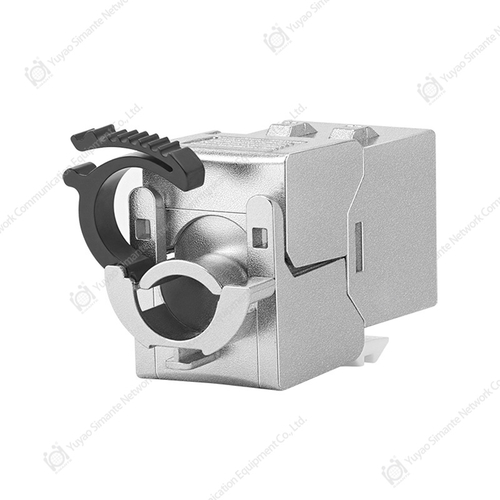
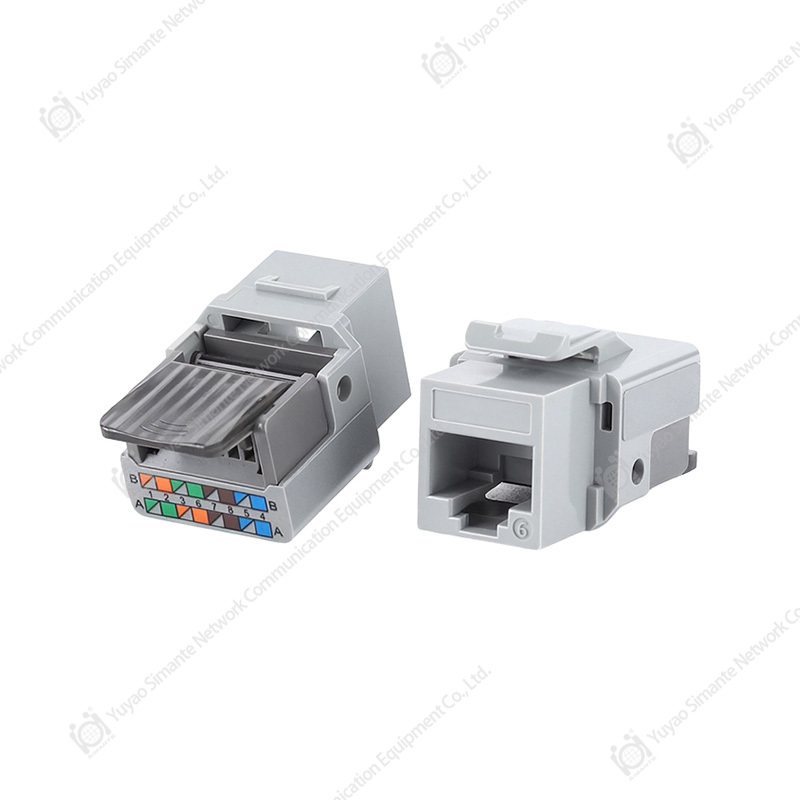
 Simante Tools Series Crimp and Termination ToolsCrimp and termination tool series with modular holders, ratchet mechanism, and 90/180-degree options for UTP/STP stranded and solid wire.View Product →
| Job | Typical tools | What goes wrong when the tool is missing or poor |
|---|---|---|
| Cable preparation | Jacket stripper, cable cutter, sharp scissors, cable stand | Nick damage, uneven jacket removal, scrap cable, and inconsistent termination length |
| Termination | RJ45 crimp tool, punch-down tool, toolless jack tool, connector holder | Loose contacts, split pairs, high return loss, and intermittent links |
| Verification | Continuity tester, tone generator, certification tester, adapter set | Miswires found late, unclear fault location, and repeated site visits |
| Management | Cable manager, labels, hook-and-loop ties, rack accessories | Bend radius problems, service difficulty, and poor airflow around active equipment |
The table is deliberately simple because procurement often becomes too complicated. A buyer may compare five crimp tools and ignore the patch panel, or order premium jacks and then use a dull blade that damages the jacket. The better approach is to match the tool kit to the work sequence. If the crew terminates 200 outlets in a week, repeatability matters more than a single feature. If the work is mostly service and troubleshooting, access and testing speed matter more than bulk crimping speed.
Buy tools for copper cabling by work stage, then confirm the category, shielding, and termination style for each project.
What “Tools for Copper” Means in a Network Cabling Context
The phrase tools for copper is broad. In some search results it refers to copper pipe press tools, soldering alternatives, or crimping tools for plumbing. In network cabling, it means something different: stripping, terminating, testing, and managing copper data cables. The overlap is the word copper, not the job. A copper pipe crimp tool and an RJ45 crimp tool both use force and a die, but they are not interchangeable, and neither should be sold as a general-purpose copper tool.
For structured cabling, the copper system usually includes cable, keystone jacks, patch panels, faceplates, surface mount boxes, patch cords, male connectors, 110 wiring blocks, and cable managers. The tools support those products. A keystone jack needs a punch-down tool or a toolless termination method. A patch panel needs cable management, labeling, and a clean way to dress pairs. A faceplate needs a screwdriver that fits, not one that chews the screw head. A surface mount box needs a clean cable entry so the jacket is not crushed. These are small details, but they decide whether the link is stable after the rack is closed.
This distinction also matters for procurement. A wholesaler sourcing tools for copper network projects should not mix plumbing tools, electrical tools, and data cabling tools in one category without clear labeling. Contractors need to know whether a tool is designed for solid copper conductor, stranded patch cord, shielded cable, or a specific jack style. The more clearly the supplier defines the application, the lower the risk of a wrong order and a site delay.
For network projects, tools for copper must be matched to data cable construction and termination style, not to plumbing or general electrical work.
The Copper Cabling Tool Stack: Five Jobs That Matter
A useful tool stack is not a shopping list. It is a sequence. The installer prepares the cable, terminates the conductor, verifies the link, manages the cable in the rack, and then documents the result. Each step creates a condition for the next step. If preparation is poor, termination becomes harder. If termination is inconsistent, testing takes longer. If management is neglected, a link that passed on day one may fail when someone moves a patch cord or closes a cabinet door.
1. Preparation: Stripping and Cutting Without Nicking
The first tool in copper work is not the crimp tool. It is the cutting and stripping tool. A jacket stripper should remove the outer sheath without scoring the insulation of the twisted pairs. On CAT6A and shielded constructions, the shield and drain wire add another layer that must be handled without cutting into the foil or braid. A clean cut also gives the installer a predictable conductor length, which matters when the jack has a limited termination window.
In practice, many intermittent faults start with a small nick that is invisible at the time of termination. The link may pass a basic continuity check, then fail when the cable is bent during rack installation. A sharp cutter and a proper stripper are not accessories. They are part of the quality system. For volume work, a cable stand or spool holder also helps because it feeds the cable without twisting or dragging over an edge.
2. Termination: Crimp, Punch, and Toolless
Termination tools divide into three families. The first is the RJ45 crimp tool for male connectors and patch cord assembly. The second is the punch-down tool for 110 wiring blocks, patch panels, and punch-down keystone jacks. The third is the toolless termination method used by many modern keystone jacks. Each has a different risk profile. Crimp tools depend on die shape, cycle consistency, and connector compatibility. Punch-down tools depend on blade angle and impact force. Toolless jacks depend on the housing design and the installer’s ability to seat the pairs fully.
A common mistake is to assume that a tool that works with one connector style will work with every connector. RJ45 male connectors vary in conductor channel, strain relief, and shielding. A crimp tool that produces a good result on one batch may produce a poor result on another if the die is worn or the connector is not seated correctly. For punch-down work, the tool should be comfortable enough to use for many repetitions because hand fatigue changes force and angle. The best tool is not the one with the most features. It is the one that produces the same result on the first and the hundredth termination.
3. Verification: Testers and Tone Generators
Verification tools answer two different questions. A continuity tester or tone generator answers, “Is this cable the one I think it is?” A certification tester answers, “Does this link meet the performance category?” Both are useful, but they are not substitutes. On a small service job, a tone generator and a basic tester may be enough to find a miswire or identify a cable in a bundle. On a new installation with performance requirements, a certification tester provides the evidence needed for acceptance.
Adapter choice matters as much as the tester. A tester with the wrong adapter may pass a link mechanically but fail to assess the correct category. The test standard, patch cord quality, and reference setting should be checked before the first link is certified. If the tester is due for calibration, the result may be questioned even if the installation is good. For contractors, a simple test log with link ID, length, and result is often more useful than a long report that no one reads.
4. Management: Cable Managers and Labels
Cable management tools are sometimes treated as finishing items. In practice, they are part of the electrical and mechanical environment. A cable manager keeps copper patch cords from hanging on the connector, supports bend radius, and separates bundles so that a single link can be traced. Labels do the same for the human side of the system. Without labels, troubleshooting becomes a process of unplugging and guessing.
In racks, the cable manager should suit the patch panel density and the patch cord diameter. A ring cable manager may be enough for a small wall mount cabinet, while a larger rack may need horizontal and vertical management. Hook-and-loop ties are generally easier to reopen than plastic ties, and they are less likely to compress the cable. The goal is not a perfect show rack. The goal is a rack that can be serviced without disturbing ten other links.
5. Safety and Site Discipline
The last part of the tool stack is site discipline. A cable stand reduces trip hazards and cable damage. A headlamp or task light helps in dark ceilings and crowded racks. A small vacuum or cable scrap bag keeps debris out of connectors and patch panels. These are not advanced tools, but they remove conditions that cause rework. Copper work is repetitive, and repetition rewards a clean, predictable setup.
A copper tool kit should follow the work sequence, from clean preparation to labeled management, because each stage protects the next.
Termination Tools for Copper: Crimp, Punch, and Everything Between
Termination is where most copper cabling issues become visible. A keystone jack may look simple, but it has to hold the pairs at a precise angle, maintain twist close to the contacts, and survive insertion and removal cycles. A patch panel has to do the same across many ports while fitting into a rack. The tool choice depends on the termination method. A punch-down jack needs a punch-down tool with the correct blade. A toolless jack needs the cable pairs to be seated fully by hand or with a small termination aid. An RJ45 male connector needs a crimp tool that matches the connector and cable type.
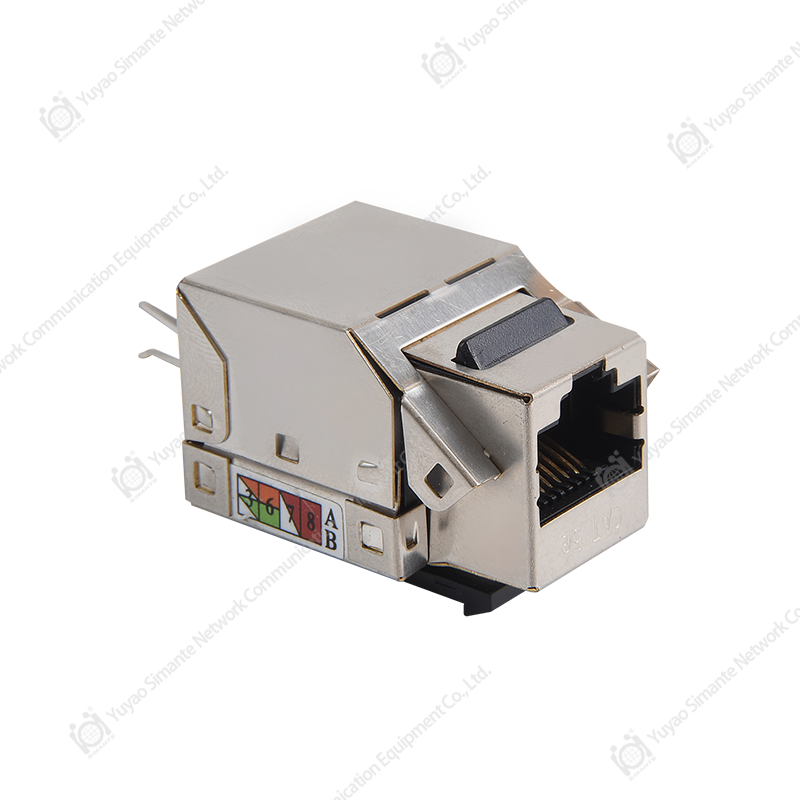
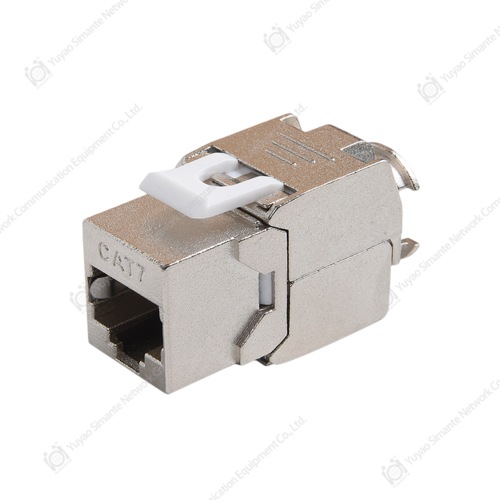
Keystone jacks are often categorized by transmission performance. CAT3 jacks are used in voice and low-speed applications. CAT5E, CAT6, CAT6A, and CAT7 jacks support higher categories and different construction methods. A CAT6A shielded jack may include a metal housing and a cable shield termination point. A CAT7 jack may require a different pair arrangement and shield handling. The installer should not treat all jacks as the same termination job. The tool and the technique need to match the category and the shielding.
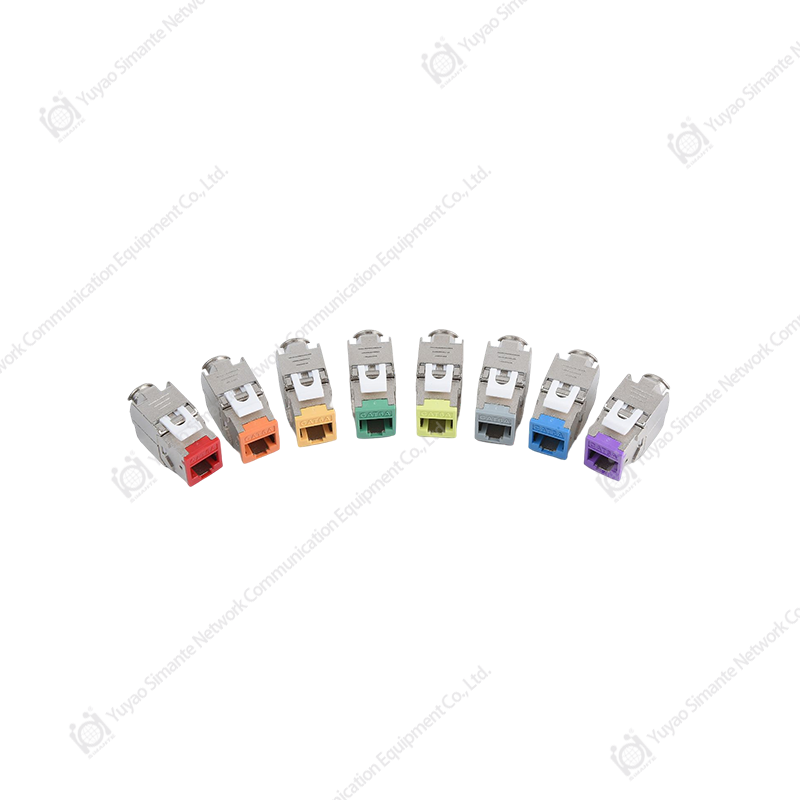 Copper System Keystone Jacks for Structured CablingCAT3 to CAT8 keystone jack range, including shielded toolless and 90/180-degree models, for matching category and shielding to termination work.View Product →
For buyers, it helps to separate the jack from the tool. A good jack can fail if the punch-down blade is dull or the toolless housing is not closed fully. A good tool can also fail if the jack is not designed for the cable gauge or shield type. When a distributor orders for a project, the safer approach is to confirm the jack category, the cable construction, and the termination method before selecting the tool. That is more reliable than assuming that a standard punch-down tool covers every product in the copper system.
Male connectors and patch cords add another layer. Field termination of RJ45 male connectors is common in service work and custom lengths. The crimp tool should produce a consistent crimp height and should not damage the connector housing. For shielded connectors, the shield fold and drain wire need a clean path to the housing. If the tool forces the housing out of shape, the connector may not lock into the jack or may lose shield contact. A simple pull test and visual check after crimping can catch many problems before the cable reaches the tester.
Termination tools must match the jack or connector design, cable category, and shielding method; one general-purpose tool is rarely the best answer for every copper product.
Patch Panels and Cable Managers: The Tools That Keep a Rack Serviceable
A patch panel is not only a mounting point. It is the place where structured cabling becomes manageable. In a copper system, patch panels are available in blank versions and in CAT5E, CAT6, and CAT6A versions. Blank patch panels allow the installer to choose keystone jacks and build the port mix that the project needs. Preloaded panels reduce field termination time but fix the category and port count. The choice affects the tools that the crew needs, the testing plan, and the spare parts list.
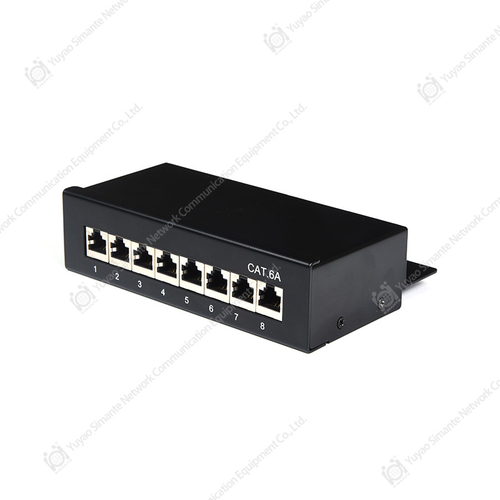 Copper Patch Panels in CAT5E, CAT6, and CAT6APatch panel range in 0.5U to 2U formats, including blank, shielded, voice, and preloaded CAT5E/CAT6/CAT6A options with 110/Krone/dual IDC termination.View Product →
The 110 wiring block is another copper termination product that often appears in voice and data cabling. It is not the same product as a patch panel, even though both use punch-down termination. A 110 wiring block is typically used for cross-connect and voice distribution, while a patch panel is used for LAN and structured cabling ports. The punch-down tool may be shared, but the termination pattern, labeling, and cable management are different. A wholesaler should keep these categories separate in catalog descriptions so that contractors order the right part.
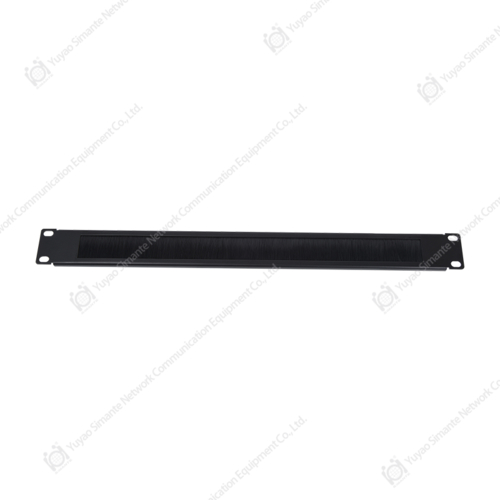
Cable managers and patch panels work together. A horizontal cable manager between patch panels gives the patch cords a path and reduces strain on the jacks. A vertical manager at the side of the rack supports longer runs and keeps cords from blocking airflow. Ring cable managers are useful for smaller bundles and service loops. The exact style matters less than the discipline: keep the bend radius, separate power and data where possible, and leave enough slack for moves and changes.
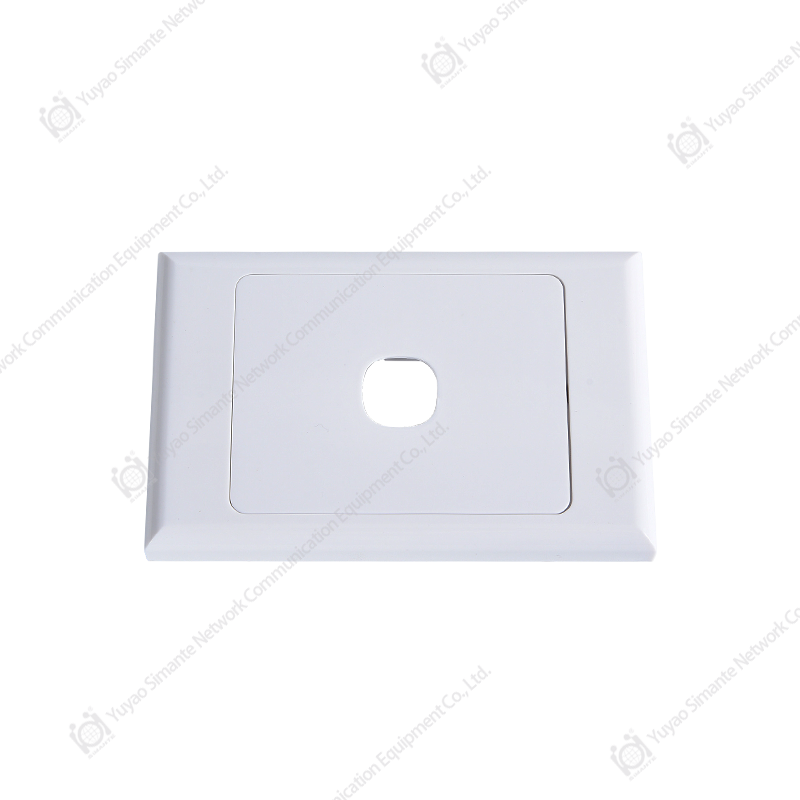
Faceplates and surface mount boxes also belong in this part of the system. A faceplate is the user-facing endpoint, and a surface mount box is a practical option when cable cannot be concealed in the wall. The tools for these products are simple, often a screwdriver and a cable entry tool, but the installation quality still matters. A faceplate that is forced onto a rough wall opening or a surface box that crushes the cable can create a link problem that looks like a network fault. The fix is usually mechanical, not electronic.
Patch panels, 110 wiring blocks, and cable managers should be planned as one rack system, because serviceability depends on how the parts work together.
A Practical Selection Matrix for Copper Cabling Tools
Tool selection becomes easier when the buyer asks four questions: What cable and category will be terminated? What termination method does the product use? Will the work be field service or volume installation? What evidence does the customer require after installation? These questions narrow the list quickly. A crew that works mainly on CAT5E voice and data may not need the same tool kit as a team installing CAT6A shielded links in a data center.
| Selection question | Better answer for consistent work | Practical effect |
|---|---|---|
| What category is being installed? | Match the termination tool and jack to CAT5E, CAT6, CAT6A, or CAT7 requirements | Reduces the chance of using a tool or technique that limits the link performance |
| Is the cable shielded or unshielded? | Use a tool and connector that support shield fold, drain wire, and housing contact | Improves electromagnetic compatibility and avoids shield damage during crimping |
| Is the termination toolless or punch-down? | Provide the correct punch-down blade or toolless seating aid for the selected jack | Reduces incomplete terminations and pair movement after assembly |
| Will the team test to a standard? | Choose a tester and adapters that match the category and acceptance plan | Produces evidence, shortens handover, and reduces disputes at acceptance |
| Will the site be serviced after handover? | Include labels, cable managers, and a small spare parts kit | Makes moves, adds, and changes faster and less disruptive |
The matrix also helps with stock planning. A distributor may stock a broad range of keystone jacks and patch panels but only a narrow set of tools. If the tools do not cover the stocked categories, the contractor may buy the tool elsewhere or improvise. A more coherent stock policy links the tool range to the copper system products that are already sold. That is especially useful for wholesalers serving repeated project customers, because the same installation team may need replacement blades, spare dies, or additional adapters over time.
Another practical point is packaging and identification. Tools that look similar but serve different categories should be clearly marked. A punch-down tool for a 110 block should not be confused with a tool for a different termination style. Replacement parts should be listed with the tool, not buried in a general accessory page. Contractors appreciate a clear spare parts path because a small worn part can stop a crew, while a clear part number can solve the problem in one order.
Tool selection is faster when the buyer starts with cable category, shielding, termination method, and test requirement instead of brand-style preferences.
Buying Tools for Copper at Volume: What Contractors and Distributors Should Ask
For a single installer, a tool is a personal purchase. For a contractor, a distributor, or a wholesaler, it is a supply item. The questions change. A buyer needs to know whether the tool will be available next quarter, whether replacement parts are stocked, whether the same batch behaves consistently, and whether the supplier can support a private label or custom kit. These are normal manufacturer and supplier questions, not signs of distrust. In copper cabling, a small difference in a punch-down blade or crimp die can create a large difference in rework.
Start with application fit. Ask the manufacturer or supplier to confirm the cable categories, connector types, and termination methods that the tool is designed to support. If the answer is vague, request a sample and test it with the exact jack or connector that will be used on site. A sample test should include repeated terminations, not one perfect demonstration. The second question is consistency. Ask how the tool is checked during production and whether the critical dimensions are controlled. For a wholesaler, consistency across orders matters because different crews may receive different batches.
The third question is spare parts and service. Crimp tools have dies, springs, and ratchet mechanisms. Punch-down tools have blades and impact components. Toolless termination aids may have small replacement parts. A supplier that can provide part numbers and quick replacement reduces downtime. The fourth question is customization. Many projects need a kit rather than a single tool: a stripper, a crimp tool, a punch-down tool, a tester adapter, a label pack, and a case. A manufacturer with regular and custom production lines can assemble a kit that matches the project, but the buyer should confirm lead time, minimum order, and packaging before committing.
For export buyers, documentation and labeling matter. The tool should be identifiable by model, application, and category. Instructions should be clear enough for a new installer and specific enough for an experienced technician. If the product is sold under a distributor brand, the packaging and manual should match the brand without losing the technical details. A wholesaler should also ask about warranty terms, defect handling, and the process for mixed shipments. These details are not glamorous, but they decide whether a tool range supports repeat business or creates service tickets.
At volume, the reliable supplier is the one that can prove application fit, batch consistency, spare parts support, and clear custom-kit terms.
Common Mistakes That Show Up After the First Test
Many copper cabling problems are predictable. They appear after the first test because the first test is often a basic continuity check, not a full performance check. The link may be electrically connected but mechanically weak. The following mistakes are common across small and large projects, and most are tool-related or tool-discipline-related.
- Using a dull blade or worn stripper that nicks conductor insulation during jacket removal.
- Untwisting pairs farther than necessary before termination, which changes the electrical behavior of the link.
- Using a punch-down tool with the wrong blade angle or worn tip, which leaves contacts partially seated.
- Closing a toolless jack without confirming that every pair is fully bottomed in the housing.
- Crimping an RJ45 connector with a die that does not match the connector or cable construction.
- Testing only with a continuity checker when the project requires category performance evidence.
- Over-tightening plastic ties or using cable management that compresses the cable bundle.
- Skipping labels, which turns later service work into a trial-and-error process.
These mistakes are not difficult to prevent. A small pre-work check can confirm that the blade is sharp, the crimp die is correct, the tester adapter matches the category, and the labels are ready. During work, a sample termination from each crew can be inspected and tested before the team proceeds. At handover, a simple as-built label plan and test log make the installation easier to support. The cost of these steps is small compared with a return visit to a site with 200 outlets and one unidentified fault.
Most repeat visits can be avoided by checking tool condition, termination depth, pair twist, and test coverage before the crew leaves the site.
FAQ: Tools for Copper Cabling
What tools do I need for copper network cabling?
For basic copper network cabling, start with a cable cutter, jacket stripper, RJ45 crimp tool, punch-down tool or toolless jack aid, continuity tester or tone generator, cable manager, labels, and hook-and-loop ties. Add a certification tester and category adapters when the project requires performance evidence. The exact list should match the cable category, shielding, and termination method.
Are tools for copper pipe the same as tools for copper data cable?
No. Copper pipe tools are designed for plumbing, press fitting, or soldering. Copper data cable tools are designed for stripping, terminating, testing, and managing twisted-pair cable. The materials and joints are different. A buyer searching for tools for copper should confirm whether the intended work is plumbing or network cabling before ordering.
Can I use a CAT6 keystone jack with CAT5E cable?
A CAT6 jack may physically accept CAT5E cable, but the finished link is limited by the lowest category in the channel. The installer should also confirm that the jack contacts and termination method suit the cable gauge and conductor type. For a project with CAT5E cable, a CAT5E jack is usually the more coherent choice unless the plan is to upgrade later.
Do I need a certification tester, or is a continuity tester enough?
A continuity tester is useful for finding opens, shorts, and miswires, but it does not prove that the link meets a category performance standard. A certification tester is appropriate when the project has acceptance requirements, warranty conditions, or high-speed applications. For service work, a tone generator and basic tester may be enough to locate a fault.
What is the difference between a 110 wiring block and a patch panel?
A 110 wiring block is typically used for cross-connect and voice distribution, while a patch panel is used to terminate structured cabling ports in a rack or cabinet. Both can use punch-down termination, but their layout, labeling, and cable management are different. The project design should determine which product is used.
How many spare keystone jacks should I order?
The spare quantity depends on project size, site conditions, and the cost of a return visit. A small service job may need only a few spares. A larger installation should include enough spares to cover breakage, termination errors, and later moves. The buyer should also keep spare faceplates, patch cords, and labels in the same kit so that a small fault does not require a second order.
What should a wholesaler ask a manufacturer about tools for copper?
A wholesaler should ask about application fit, cable category support, termination method, batch consistency, spare parts, warranty, packaging, and custom-kit options. A sample test with the exact jack or connector used on site is more useful than a general catalog statement. Clear model numbers and replacement-part lists also help reduce after-sales problems.
How can I reduce rework on copper patch panels?
Use the correct punch-down tool, keep pair twist close to the termination point, label ports before termination, and test a sample port from each panel. Cable management should be installed early, not after all ports are terminated. A short pre-handover check of bend radius, label accuracy, and test results can catch many issues before the customer sees the rack.
Clear application questions prevent most tool ordering mistakes, especially when copper pipe tools and copper network tools appear under the same search phrase.
Useful Next Reads and Company Background
If you are planning a copper system, the product category and the installation method should be reviewed together. The links below provide a starting point for the wider structured cabling view and for the manufacturing background behind the copper and fiber product range.
A practical next step is to list the exact cable categories, jack types, patch panel port counts, and test requirements for the project. With that list, a contractor can build a tool kit that matches the work, and a distributor can check stock against the real demand rather than a generic category name.
Match the tool kit to the copper system design first, then use product and company information to confirm supply and support.
Copper cabling tools do not need to be complicated, but they do need to be coherent. A sharp stripper, a correct crimp die, a well-matched punch-down tool, a tester with the right adapter, and a rack that can be serviced will do more for link reliability than a long list of unused accessories. For contractors, the return is fewer repeat visits and faster handover. For distributors and wholesalers, the return is a clearer product range and fewer application questions. For a manufacturer, the return is a tool system that supports the copper products it already sells.
Reliable copper work comes from a small, well-matched tool system used consistently, not from a large collection of unrelated tools.