Español
 عربى
عربى русский
Content
- 1 What Category 8 Copper Cable Is: Bandwidth, Construction and Standards
- 2 Category 8 vs Cat6A, Cat6 and Cat7: A Practical Comparison
- 3 Speed Versus Reach: The Trade-Off Nobody Explains
- 4 Why the 30 Meter Limit Exists
- 5 Cat8.1 and Cat8.2: Connector Choice Changes Everything
- 6 Where Category 8 Copper Cable Earns Its Place
- 7 Selection and Procurement Checklist for Buyers and Integrators
- 8 Installation and Maintenance Guidance
- 9 How Simante Supports Copper Cabling Projects
- 10 Frequently Asked Questions About Category 8 Copper Cable
- 10.1 Is Category 8 copper cable worth installing?
- 10.2 Can Category 8 copper cable run 100 meters?
- 10.3 Can I use Cat8 cable with Cat6A jacks and patch panels?
- 10.4 Is Category 8 backward compatible with Cat5e, Cat6 and Cat6A?
- 10.5 Does Category 8 support PoE and PoE++?
- 10.6 How is Category 8 different from Cat7?
- 10.7 Do I need Category 8 for a home or office network?
- 10.8 What is the difference between Cat8.1 and Cat8.2?
- 10.9 How do I test a Category 8 channel?
- 10.10 Is Category 8 cable harder to install than Cat6A?
- 11 Further Reading on Copper Cabling Systems
Category 8 copper cable is a shielded, 2 GHz, four-pair balanced twisted-pair cable rated for 25GBASE-T and 40GBASE-T Ethernet over a channel no longer than 30 meters. That is the whole specification in one sentence, and it already settles most purchasing arguments. It is the fastest copper Ethernet cable defined by recognized standards, and it is also the one with the shortest reach. If a run is longer than 30 meters, Category 8 is the wrong product regardless of what a sales sheet implies. If the run is short, the switch ports genuinely support 25G or 40G, and copper is preferred over direct-attach or fiber assemblies, then Category 8 copper cable is a defensible design choice.
The confusion around Cat8 rarely comes from the cable itself. It comes from buyers treating "highest category number" as "best cable" in every situation. Copper categories do not work that way. Each category trades bandwidth against reach, and Category 8 trades aggressively: it delivers roughly four times the bandwidth of Cat6A while cutting the supported channel length to less than a third. A home office that needs a 40 meter run to a router gains nothing from Cat8 and may actually lose certification coverage. A data center row that needs 25G server connections inside a 20 meter cabinet can use it profitably.
This guide explains the standards behind the label, the construction details that drive the price, the exact numbers that matter during selection, and the installation and procurement issues that cause failures on site. It is written for network integrators, IT managers, distributors and OEM buyers who need to specify copper cable correctly rather than buy the longest spec sheet.
Category 8 copper cable is the only copper Ethernet cable standardized for 25GBASE-T and 40GBASE-T, and it does so only within a 30 meter channel.
What Category 8 Copper Cable Is: Bandwidth, Construction and Standards
Category 8 is defined for a 2000 MHz (2 GHz) bandwidth over four balanced twisted pairs. For comparison, Cat6 and Cat6A are defined to 250 MHz and 500 MHz respectively. That fourfold bandwidth increase is what allows the cable to carry the denser signaling used by 25GBASE-T and 40GBASE-T, and it is also why almost every Category 8 cable on the market is a shielded construction. At 2 GHz, unshielded twisted pairs leak and absorb too much energy to hold a stable link.
Because there are two families of standards in global use, "Category 8" appears under two names. In North America, ANSI/TIA-568.2-D defines Category 8 with an 8-position modular (RJ45) interface and a 30 meter channel. In the ISO/IEC world, ISO/IEC 11801-1 defines two performance classes at the same 2 GHz bandwidth: Class I, which uses the familiar RJ45 interface, and Class II, which uses non-RJ45 interfaces such as TERA or GG45. The electrical targets are similar; the mechanical interfaces are not, and that difference decides which patch panels and outlets a project can use.
The standards that govern compliant channels
- ANSI/TIA-568.2-D: Category 8 balanced twisted-pair cabling, 2 GHz, 30 meter channel, RJ45 interface.
- ISO/IEC 11801-1: Class I (2 GHz, RJ45) and Class II (2 GHz, non-RJ45) channels.
- IEEE 802.3bq: 25GBASE-T and 40GBASE-T physical layer specifications, both limited to a 30 meter reach.
- IEEE 802.3an: 10GBASE-T, which Category 8 supports at 30 meters but does not extend beyond.
Construction details that drive cost and difficulty
Typical Category 8 copper cable uses 22 to 23 AWG solid bare copper conductors, foil shielding around each individual pair, and an overall metallic braid, a construction usually written as S/FTP or described as pair-in-metal-foil. The result is a cable that is noticeably thicker, heavier and stiffer than Cat6A of the same pair count. Conductor diameter is one reason Category 8 handles current relatively well; the shield system is the reason it behaves predictably at 2 GHz.
The shield only works if it is bonded and grounded at both ends of the channel. An unterminated drain wire or a shielded jack installed on an ungrounded panel turns the shield into an antenna rather than a barrier. This single installation detail accounts for a large proportion of field failures in high-category copper projects, and it is invisible in a quotation.
Category 8 copper cable is a 2 GHz S/FTP construction, and its shield is only useful when it is continuously bonded and grounded across the whole channel.
Category 8 vs Cat6A, Cat6 and Cat7: A Practical Comparison
Buyers usually arrive with a single question: should the project use Cat6A or jump to Category 8? The honest answer depends less on the category number than on three variables: the actual speed the switch ports will negotiate, the physical length of the longest run, and whether the budget also covers shielded jacks, shielded patch panels and 2 GHz certification testing. A cable alone does not create a channel.
It also helps to place Cat7 correctly, because it is frequently sold as a step between Cat6A and Cat8. Cat7 is an ISO/IEC Class F designation with a 600 MHz bandwidth, and 10GBASE-T over a full 100 meters is only standardized with non-RJ45 connectors. RJ45-based Cat7 products exist in large volumes, but they do not carry the same recognition in TIA channel standards as Cat6A or Category 8.
| Category | Standard reference | Bandwidth | Headline speed | Guaranteed reach at that speed | Typical role |
|---|---|---|---|---|---|
| Cat5e | TIA-568.2-D, ISO Class D | 100 MHz | 1 Gbps | 100 m | Voice and legacy data outlets |
| Cat6 | TIA-568.2-D, ISO Class E | 250 MHz | 10 Gbps | 55 m or less, typically 37 to 55 m | General office LAN at 1G, short 10G links |
| Cat6A | TIA-568.2-D, ISO Class EA | 500 MHz | 10 Gbps | 100 m | Standard choice for new 10G copper backbones and horizontal runs |
| Cat7 | ISO Class F (not a TIA category) | 600 MHz | 10 Gbps | 100 m with non-RJ45 interfaces; RJ45 variants are not covered | Legacy European shielded installations |
| Category 8 | TIA-568.2-D, ISO Class I and Class II | 2000 MHz | 25 Gbps and 40 Gbps | 30 m | Short reach switch-to-server copper links |
The table exposes the pattern that decides most projects. Every step up in bandwidth reduces the distance over which the highest speed is guaranteed, until Category 8 guarantees more speed than any other copper cable but only inside 30 meters. A reader who only remembers one row should remember that Cat6A covers 10G to 100 meters while Category 8 covers 25G and 40G to 30 meters. Neither one replaces the other.
Cost follows the same pattern. Category 8 cable, shielded jacks, shielded patch panels and 2 GHz-certified patch cords typically cost several times more than equivalent Cat6A components. Installation labor rises as well, because thicker cables fill cable tray and conduit faster, take longer to dress, and demand more attention to bend radius and grounding. For a horizontal floor distribution designed for 1G or 10G access, Cat6A remains the rational choice almost every time.
Cat6A and Category 8 are not competitors; Cat6A is the 10G cable for 100 meter runs, and Category 8 is the 25G and 40G cable for runs of 30 meters or less.
Speed Versus Reach: The Trade-Off Nobody Explains
The single most useful chart in copper cabling plots speed against distance, because that relationship explains why Category 8 exists at all. Every increase in signaling rate raises the frequency content of the signal, and higher frequencies attenuate faster in copper. Insertion loss grows, return loss becomes harder to control, and crosstalk between pairs and between neighboring cables becomes the limiting factor rather than the cable's own conductor quality. Standards bodies therefore respond in the only way physics allows: they raise the performance floor and shorten the permitted channel. Reading the chart below with that mechanism in mind turns a set of numbers into a design rule that engineers can apply immediately during layout, quotation, and site survey work. The bars show the maximum distance over which each copper category is guaranteed to deliver its headline speed, not the distance at which it might still link up on a good day.
Guaranteed reach at each copper category's headline speed (meters)
The chart shows two flat bars and two shorter ones, and the difference between them carries the commercial argument. Cat5e and Cat6A both reach 100 meters, but they are separated by a factor of ten in speed, which is why Cat6A displaced Cat5e in new construction long before 10G access ports became common. Cat6 reaches its 10 Gbps headline only over a shortened link, typically quoted between 37 and 55 meters depending on the installation conditions and the standard revision referenced, which makes it a poor fit for permanent horizontal runs in large buildings. Category 8 sits at the far right of the speed axis and the far left of the distance axis at the same time.
Two conclusions follow directly. First, Category 8 does not extend 10GBASE-T beyond the 100 meters that Cat6A already provides; a 60 meter 10G run is a Cat6A job, and a Category 8 cable installed for that purpose is simply wasted budget. Second, the 30 meter ceiling is not a soft recommendation that can be stretched with better connectors. It is the distance at which the complete channel, including both patch cords, still meets the alien crosstalk and insertion loss limits of the standard. Beyond it, no compliant test result exists, and any warranty or certification claim ends.
That has a practical consequence for layout planning. Thirty meters of channel leaves roughly 24 meters for the permanent link once patch cords at both ends are accounted for, so a Category 8 zone is essentially limited to a single rack row, a small cabinet group, or an adjacent pair of racks. Designers who sketch a floor plan first and check cable categories second usually discover that the runs they intended for Category 8 are 45 meters long, which forces either a fiber backbone or a switch repositioning. Doing that check before the bill of materials is written saves both money and a painful change order.
The chart also explains why fiber keeps winning in the data center. Optical assemblies carry 25G and 40G far beyond 30 meters and are often cheaper per port at those speeds, so copper retains its value only where the run is genuinely short, the interface is RJ45, and copper-specific advantages such as familiar termination, ruggedness and simple field repair matter. Recognizing that boundary is the difference between a well-justified Category 8 deployment and an expensive experiment.
Speed and reach move in opposite directions in copper, so Category 8 delivers 25G and 40G only inside 30 meters and adds nothing to 10G distance performance.
Why the 30 Meter Limit Exists
The 30 meter ceiling is often described as a marketing decision or an artificial restriction. It is neither. It is the outcome of a straightforward engineering calculation made by the standards committees when they wrote the 25GBASE-T and 40GBASE-T specifications. The signaling rate on each pair is far higher than 10GBASE-T, the bandwidth requirement rises to 2 GHz, and at that frequency the cable behaves much more like a transmission line with significant loss than like a simple conductor.
Three effects dominate. The first is insertion loss: signal amplitude falls with distance, and the loss at 2 GHz is severe enough that the receiver's equalizer runs out of margin somewhere near the 30 meter point. The second is return loss and impedance consistency, which become harder to control as frequency rises and become very sensitive to small variations in the termination, the twist geometry and the bend radius at the outlet. The third and usually decisive effect is alien crosstalk, the interference that one cable induces in the cable running beside it in the same bundle. At 2 GHz, a tightly bundled group of cables couples to each other strongly, and the shielding system can only suppress so much of it.
Characterizing alien crosstalk is also the reason Category 8 certification is expensive and slow. Tests such as power sum alien near end crosstalk and power sum alien attenuation to crosstalk ratio require a six-around-one arrangement, with the cable under test surrounded by six energized disturbers, which is a labor-intensive procedure in a live installation. Many field testers cannot perform it at all, because the instrument must be rated to 2 GHz and fitted with Category 8 adapters. That constraint has consequences for procurement: if a project promises a certified Category 8 channel, the quotation should include both the testing time and a tester that can actually do it.
A related effect is heat. Higher signaling rates increase the power drawn by the physical layer, and 25G and 40G ports dissipate noticeably more energy than 10G ports. Cable performance parameters are specified at defined operating temperatures, so a dense Category 8 bundle in a poorly ventilated rack can drift away from its tested margins. Bundled cable temperature guidance exists for exactly this reason, and it applies with more force to shielded, tightly packed Category 8 installations than to a sparse Cat6A layout.
The 30 meter limit comes from insertion loss, return loss and alien crosstalk at 2 GHz, and it cannot be overcome by better components or careful installation.
Cat8.1 and Cat8.2: Connector Choice Changes Everything
Two versions of Category 8 are sold, and mixing them up is one of the most common specification errors. Cat8.1 uses the standard 8-position RJ45 interface, which means it mates with the ports on ordinary switches, servers and patch panels. Cat8.2 uses a non-RJ45 interface such as TERA, GG45 or ARJ45. Both are rated to 2 GHz, and both support 25G and 40G to 30 meters, but they are not mechanically interchangeable, and a project cannot mix them without vendor-specific hybrid hardware.
For most buyers outside Europe, Cat8.1 is the practical option because it preserves the RJ45 ecosystem. RJ45-based Category 8 jacks, patch panels and patch cords are available in reasonable volume, field termination follows techniques that installers already know, and the same panel can accept lower category cords for legacy connections. The trade-off is a connector interface that was originally designed decades ago for much lower frequencies, which places a heavy burden on jack and plug design: contact geometry, plating specification and pair-to-pair spacing all have to be controlled tightly to stay inside the Category 8 limits.
Cat8.2 avoids that mechanical compromise by using a connector designed for higher frequencies, and in laboratory conditions it can demonstrate better margins. In practice it introduces a closed ecosystem problem. The panel, the outlet, the patch cord and the test adapter all have to come from a compatible source, spares are harder to find, and an installer who arrives with RJ45 tools cannot complete the work. For a data center operator standardizing an entire row this may be acceptable. For a mixed campus network it usually is not.
There is a further point that matters during procurement: Category 8 is a channel specification, not a component specification. A compliant channel requires a cable, two jacks, two patch cords and a patch panel that were designed and tested together. Substituting a cheaper jack or cord because it "looks the same" invalidates the channel performance, even though every individual item carries a Category 8 label.
Choose Cat8.1 for RJ45 compatibility or Cat8.2 for a closed high-frequency ecosystem, but never mix the two interfaces inside one channel.
Where Category 8 Copper Cable Earns Its Place
Category 8 makes engineering sense in a narrow but real set of situations. The common thread is a short physical distance combined with a genuine need for 25G or 40G transport and a preference for copper at the interface.
- Top-of-rack switch to server connections inside a single rack or an adjacent pair of racks, where the run stays well under 30 meters.
- Short spine-to-leaf or leaf-to-server links in small and medium data rooms where the entire cabinet group fits inside the distance allowance.
- High performance computing clusters and storage arrays that use RJ45-based 25G ports and require dense, serviceable copper connections.
- Broadcast, imaging and laboratory environments that need short, high-bandwidth, electrically interoperable links between fixed equipment.
- Test benches and validation labs where copper channels must be characterized at 2 GHz alongside fiber measurements.
- Industrial and automation cabinets where rugged copper assemblies are preferred to optical transceivers in a vibration-prone environment.
Where Category 8 is the wrong choice
It is equally important to recognize the situations where Category 8 adds cost without adding capability. Horizontal floor distribution in an office building is one: the runs are longer than 30 meters, the access ports negotiate 1G or 2.5G, and Cat6A already covers 10G to 100 meters if the network is upgraded later. Residential and small office networks are another, because consumer equipment rarely exposes 25G ports and the cable's stiffness makes routing through domestic conduit unpleasant. Any design that plans to run 10GBASE-T over 40 to 100 meters should use Cat6A instead of Category 8, because Category 8 cannot legally reach that far. And any backbone crossing between buildings or between floors is a fiber job, not a copper one.
A useful rule for integrators is to reserve Category 8 for the segment of the network where the cable is never longer than the distance between two racks. Everything else belongs to Cat6A or to fiber, and mixing the three deliberately produces a network that is both affordable and measurable.
Category 8 belongs in rack-level 25G and 40G copper links, while horizontal runs, campus backbones and home networks belong to Cat6A or fiber.
Selection and Procurement Checklist for Buyers and Integrators
Because Category 8 is a system specification, procurement decisions must be made at channel level rather than component level. The following sequence reflects how experienced integrators and distributor purchasing teams structure a Category 8 order.
- Confirm the switch port type. If the ports are SFP28 or QSFP28 cages, copper Category 8 is irrelevant and the correct product is a direct-attach or optical assembly.
- Measure the longest channel, including both patch cords, not just the permanent link. Anything above 30 meters removes Category 8 from consideration.
- Decide between Cat8.1 and Cat8.2 based on the installed interface and the availability of spare parts, not on a marginal laboratory advantage.
- Buy cable, jacks, patch panels and patch cords as a tested set from one source. Confirm in writing that the combination has been characterized as a channel.
- Ask for the test report format the supplier supports, including whether alien crosstalk parameters are reported, and confirm the field tester model that will be used on site.
- Verify conductor gauge and material. Solid bare copper in the 22 to 23 AWG range is normal; copper-clad aluminium or stranded conductors in a permanent link are warning signs.
- Check the shielding system: individual pair foil plus overall braid, with a continuous drain path and a grounding point defined for every panel.
- Request batch consistency data if the project spans multiple reels, since impedance variation between reels can disturb a tightly bundled installation.
- Calculate cable tray and conduit fill with the actual Category 8 outer diameter, which is typically 15 to 25 percent larger than Cat6A.
- Include certification testing time and tester rental or purchase in the budget before comparing quotations.
Two commercial considerations also deserve a place in the checklist. First, Category 8 availability is thinner than Cat6A availability, so lead times should be confirmed before a schedule is committed, particularly for shielded patch panels and 2 GHz-certified patch cords in non-standard lengths. Second, if the project is large and repeatable, working directly with a manufacturer rather than through multiple intermediaries usually produces better consistency across reels, clearer test documentation and faster support when a channel fails certification. A supplier that can show volume production capacity, in-house testing and export experience is generally a safer partner for a multi-site rollout than a trading company assembling parts from several sources.
Procure Category 8 as a certified channel from one source, verify the 30 meter limit before ordering, and budget for 2 GHz testing from the start.
Installation and Maintenance Guidance
Category 8 fails on site for reasons that have little to do with the cable's electrical design. Most of them are mechanical or grounding related, and most can be prevented with a short set of rules communicated to the installation crew before work starts.
- Respect the minimum bend radius. Thicker S/FTP cable has a larger radius requirement than Cat6A, and a sharp bend behind a faceplate is a common cause of return loss failures.
- Ground every shielded panel and jack. The shield must be bonded at both ends of the channel through the panel's grounding bar, not left floating.
- Keep Category 8 cable separated from power distribution where practical, and cross power runs at right angles when separation is not possible.
- Do not over-tighten cable ties or hook-and-loop straps. Compression changes pair geometry and degrades the parameters that matter at 2 GHz.
- Terminate with the correct tool and the manufacturer's specified pair untwist length, which is shorter than for lower categories.
- Label both ends and both patch panels before testing, because a short-distance Category 8 link is often one of several in the same rack.
- Store reels in dry conditions and avoid sharp edges and heavy stacking, since the foil shield is thinner than the jacket and dents easily.
- Re-test after any change in patch cord routing. A newly installed cord that crosses a bundle can shift alien crosstalk results.
Maintenance is comparatively simple once the channel is certified. Copper does not degrade the way some optical assemblies do, and the main risks are physical: a bent patch cord, a loose shield contact in a jack, or a panel screw loosened during a service visit. A practical maintenance program records the original certification results, repeats a sample of channel tests annually, and keeps spare cords from the same production batch so replacements do not introduce unexpected impedance differences. For high-density racks, cable managers and organized patch cord routing do more for long-term reliability than any single component upgrade, because they protect the bend radius that the whole channel depends on.
Most Category 8 failures are installation failures, driven by bend radius, grounding and cable handling rather than by the cable itself.
How Simante Supports Copper Cabling Projects
Yuyao Simante Network Communication Equipment Co., Ltd. is a network cabling manufacturer based in Yuyao, Zhejiang, producing structured cabling components for copper and fiber systems since 2005. The company operates a factory area of more than 30,000 square meters with automated injection molding, assembly equipment and in-house testing, exports to more than 45 countries, and runs both standard and customized production lines. For buyers sourcing Category 8 copper cable alongside the rest of a channel, that combination matters: jacks, panels, patch cords and cable management can be specified as one coordinated package from a single supplier with consistent quality documentation, rather than assembled from several wholesalers with different tolerances.
Where the product range fits a copper channel
Category 8 projects almost always include lower-category segments as well, because the surrounding network still runs 1G, 2.5G or 10G. In practice the same cabinet contains high-speed short links and standard horizontal connections, and both need matching panels, jacks and cords. The product families below cover those companion segments.
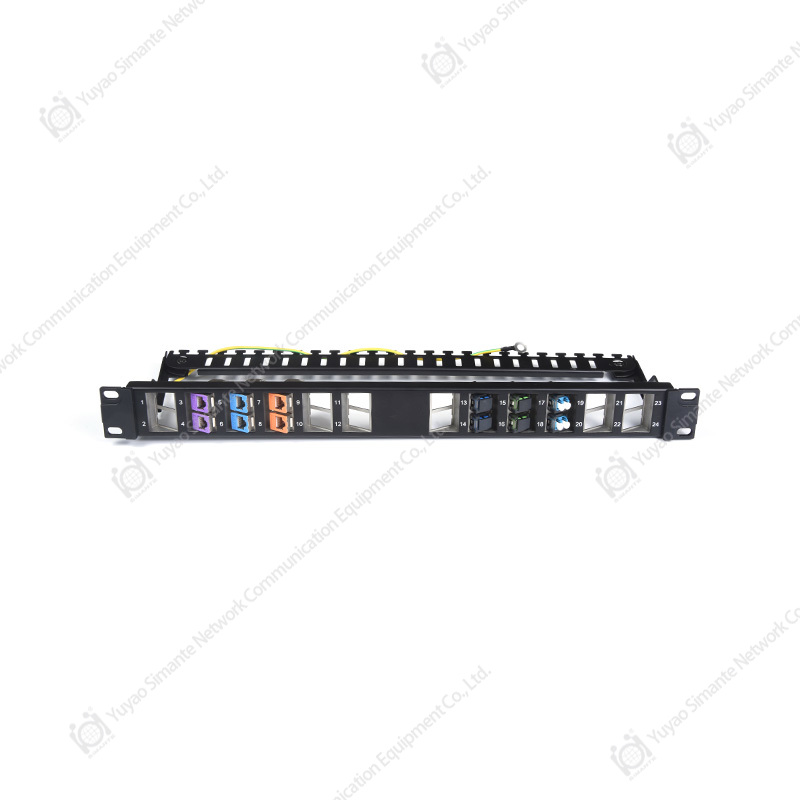
For connection and cross-connect areas, shielded and unshielded patch panels in CAT5E, CAT6, CAT6A and blank configurations provide the termination platform, including 1U 24-port and 48-port options for dense racks.
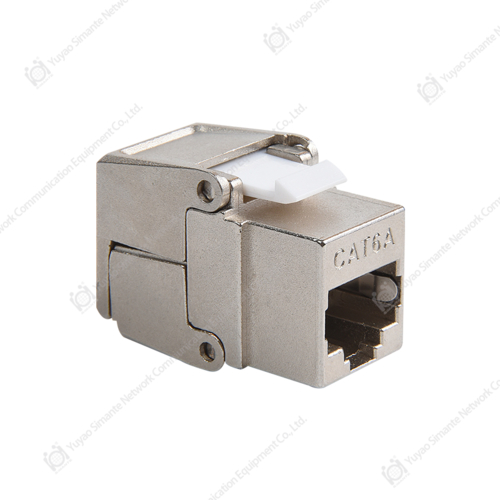
At the workstation outlet, keystone jacks from CAT3 through CAT6A and CAT7 cover voice, 1G, 2.5G and 10G connections and are paired with 1 to 5 port faceplates and surface mount boxes for both concealed and surface wiring.
The link between panel and active equipment depends on patch cords, which are available in standard and custom lengths to keep channel lengths inside specification and to avoid the excess slack that strains bend radius inside a rack.
Together with 110 wiring blocks, cable managers, male connectors and a dedicated fiber system for backbone segments, this range allows an integrator to source a complete physical layer from one manufacturer, with customization available for non-standard lengths, colors, labeling and packaging.
Sourcing the entire copper channel, including panels, jacks and cords, from one manufacturer keeps Category 8 and Cat6A performance consistent across the installation.
Frequently Asked Questions About Category 8 Copper Cable
Is Category 8 copper cable worth installing?
It is worth installing when three conditions are all true: the connection genuinely needs 25G or 40G, the channel stays within 30 meters, and the interface is RJ45. If any one of those conditions fails, Cat6A or a fiber assembly is a better use of budget. Category 8 is a targeted product, not a general upgrade.
Can Category 8 copper cable run 100 meters?
No. The standardized Category 8 channel is limited to 30 meters, and the 25GBASE-T and 40GBASE-T specifications define the same limit. Some installations may link at lower speeds over longer distances, but no compliant channel exists beyond 30 meters.
Can I use Cat8 cable with Cat6A jacks and patch panels?
Mechanically the cable may terminate, but the channel no longer qualifies as Category 8. Category 8 is specified as a complete channel, so a Cat6A jack or panel in the path means the assembly should be treated as a Cat6A channel with its own 100 meter limits, not as Category 8.
Is Category 8 backward compatible with Cat5e, Cat6 and Cat6A?
Cat8.1 with RJ45 interfaces will carry lower-speed traffic from older equipment, so a Cat8.1 patch cord can plug into a Cat6A panel for a 1G or 10G connection. Cat8.2 with non-RJ45 connectors is not backward compatible and requires matching panels, cords and outlets.
Does Category 8 support PoE and PoE++?
Category 8 uses 22 to 23 AWG conductors, which handle current well and reduce heating compared with thinner cables. However, 25G and 40G switch ports rarely deliver power, and the standard PoE system design work is normally done on Cat5e, Cat6 or Cat6A. Where Category 8 is bundled densely, thermal behavior in the bundle should be assessed rather than assumed.
How is Category 8 different from Cat7?
Cat7 is an ISO Class F designation at 600 MHz and is not recognized as a category by the TIA standards. Category 8 operates at 2 GHz, is defined for 25G and 40G transmission over a 30 meter channel, and appears in both TIA and ISO frameworks. They are different performance classes with different applications.
Do I need Category 8 for a home or office network?
Almost never. Home routers and typical office access switches negotiate 1G or 2.5G, and horizontal office runs are usually longer than 30 meters. Cat6 or Cat6A delivers everything those networks need at a lower cost and with easier installation.
What is the difference between Cat8.1 and Cat8.2?
Cat8.1 uses the RJ45 interface and is compatible with ordinary network hardware. Cat8.2 uses non-RJ45 interfaces such as TERA or GG45, which are designed specifically for higher frequencies but require matched panels, cords and outlets. Both are rated to 2 GHz and 30 meters.
How do I test a Category 8 channel?
A field tester rated to 2 GHz with Category 8 adapters is required, and alien crosstalk testing needs a six-around-one arrangement with disturber cables. Many testers used for Cat6A cannot perform these measurements, so testing capability should be confirmed during procurement rather than discovered at commissioning.
Is Category 8 cable harder to install than Cat6A?
Yes. It is thicker and stiffer, occupies more conduit and tray volume, and demands tighter control of bend radius and pair untwist at terminations. The shield must also be bonded and grounded at both ends, which adds a step that unshielded Cat6A installations do not have.
Category 8 is a short-reach, high-speed, RJ45-based copper channel, and most networks that ask about it should be buying Cat6A or fiber instead.
Further Reading on Copper Cabling Systems
Buyers who want to go one level deeper into how copper channels carry data, and why signaling choices change the cable requirements, can start with the material below. It explains the encoding techniques used on balanced twisted-pair cabling and how they relate to the bandwidth figures quoted for each category.
Related technical article
Understanding copper encoding technology makes the bandwidth and distance figures in every category datasheet far easier to interpret.
Category 8 copper cable occupies a clear and narrow position in the cabling landscape. It is the only copper cable standardized for 25GBASE-T and 40GBASE-T, it runs at 2 GHz, and it is restricted to a 30 meter channel that no amount of component quality can extend. For rack-level connections between switches and servers, that combination is genuinely useful. For horizontal building distribution, campus backbones and home networks, it is an expensive answer to a question nobody asked, and Cat6A or fiber remains the correct specification.
The practical way to decide is to work backwards from three questions: what speed will the ports actually negotiate, how long is the complete channel including both patch cords, and which interface does the installed hardware use. When the answers point to short RJ45 runs at 25G or 40G, specify Cat8.1 as a tested channel from a single manufacturer, ground the shield properly, and certify the result with a 2 GHz-capable tester. When they point anywhere else, keep the Cat6A budget and spend the difference on testing, cable management and spares.
Specify Category 8 only for RJ45-based 25G or 40G links inside 30 meters, and treat every longer run as a Cat6A or fiber project.